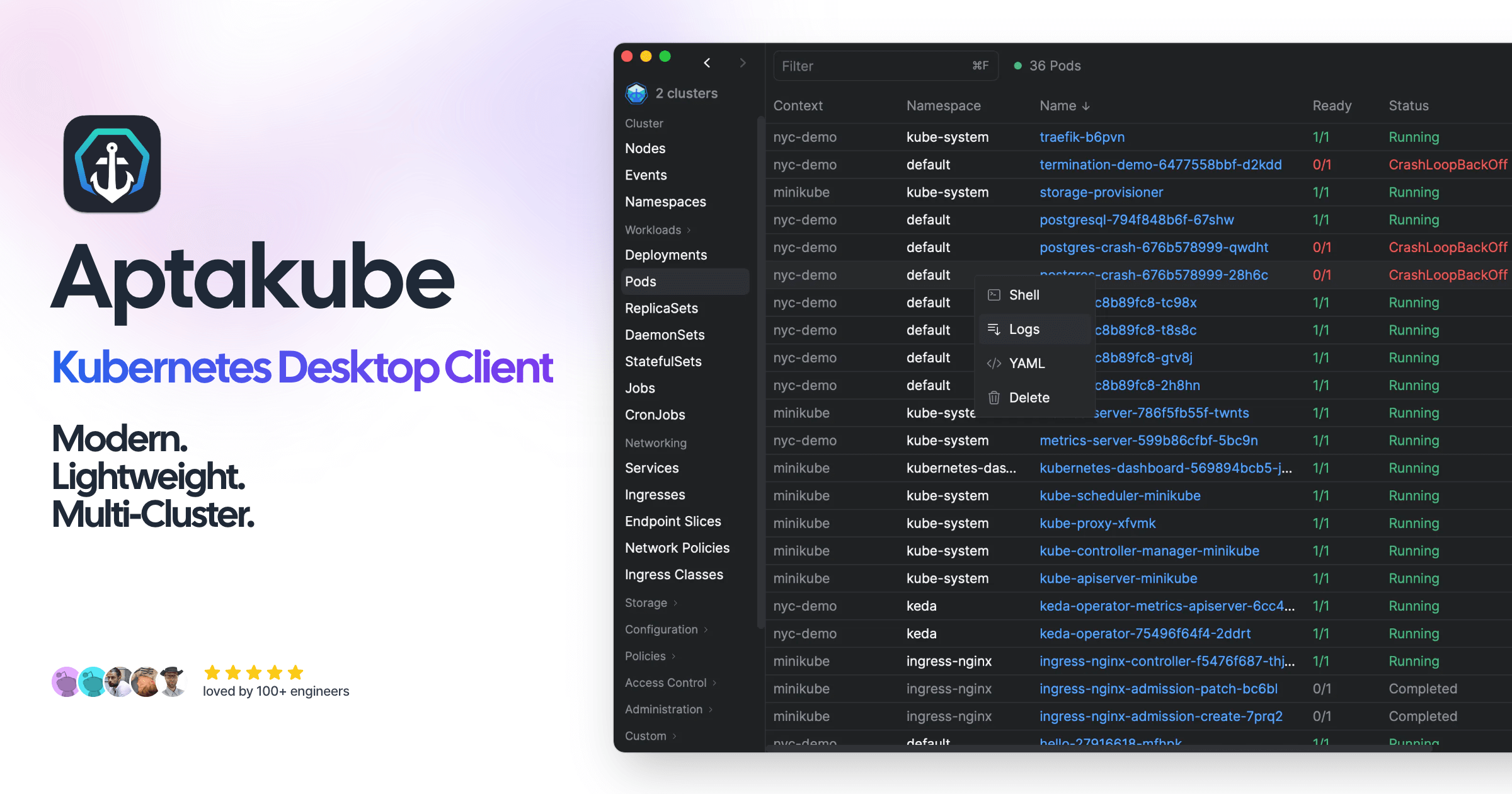
Managing Kubernetes from the terminal with kubectl is fine until you’re juggling several clusters and squinting at YAML at 2am. I wanted a proper desktop UI, so I put Aptakube through real multi-cluster work. Here’s my honest developer’s review.

1. What Is Aptakube?
Aptakube is a lightweight, modern desktop client (macOS, Windows, and Linux) for managing Kubernetes clusters through a graphical UI. It’s built for multi-cluster work — connect all your clusters and manage everything from one app — and it’s designed so you don’t need deep kubectl expertise to use it.
2. Who Is Aptakube Best For?
✅ Developers working across multiple clusters
If you switch between dev, staging, and prod clusters constantly, connecting them simultaneously in one window is the headline benefit.
✅ Engineers who prefer a UI over kubectl
The human-friendly resource view and zero-config setup lower the barrier for people who don’t live in the terminal.
✅ Small teams wanting quick troubleshooting
Instant problem highlighting, aggregated logs, and usage metrics make debugging faster than piecing it together on the command line.
❌ Teams standardized on pure CLI/GitOps
If your workflow is fully declarative and CLI-driven, a desktop GUI may be redundant.
❌ Users needing a free open-source tool
Aptakube is paid (with a trial); if you need a zero-cost option, alternatives like Lens’ free tiers or k9s exist.
3. Core Features Breakdown
3.1 Multi-Cluster Management
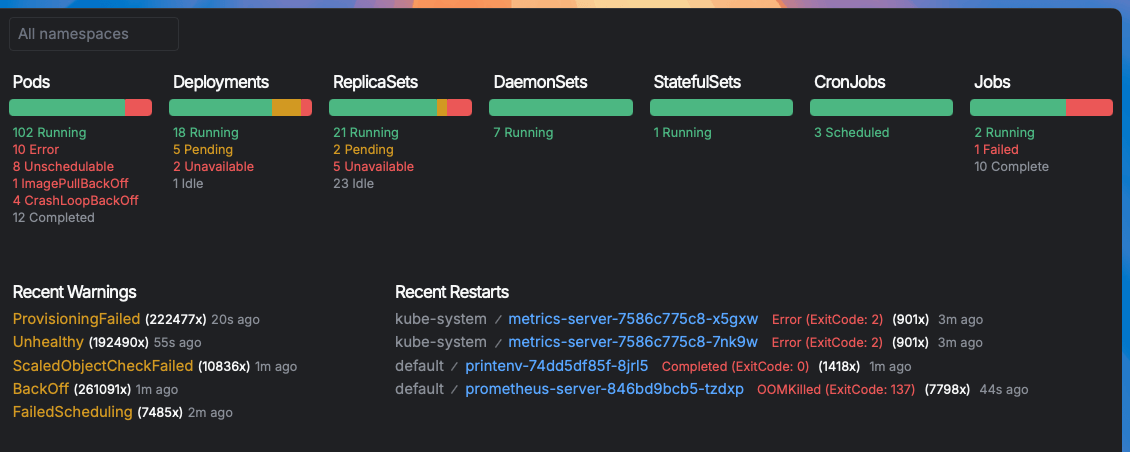
Connect and manage multiple clusters simultaneously from one desktop app, with quick context switching.
3.2 Problem Highlighting & Metrics
It instantly highlights problems in your cluster and shows pod and node usage metrics so you spot issues fast.
3.3 Aggregated Logs & Port Forwarding
View aggregated logs across pods and set up port forwarding directly from the UI.
3.4 Resource Diff & Editing
View, create, and modify resources, compare changes with resource diff, and use quick actions — all with a human-friendly view.
4. Pricing
Aptakube is a paid app with a free trial (prices in USD):
Free trial — 15 days.
Personal — $9/month, licensed to a single user on 2 devices.
Business — $21/month per user (1 device per user), with a license manager for teams.
Check the live pricing page for current device/seat terms and any annual options.
5. Pros & Cons
Pros: Genuinely lightweight and fast; excellent multi-cluster support; zero-config setup; aggregated logs, metrics, port forwarding and resource diff in one place; cross-platform.
Cons: Paid (no free tier beyond the trial); a GUI may be unnecessary for CLI-first teams; per-user licensing adds up for larger teams.
6. Aptakube vs Lens & k9s
Lens is feature-rich but can feel heavy; k9s is a terminal UI that’s fast but keyboard-driven and less approachable for newcomers. Aptakube slots between them: a genuinely lightweight graphical app that’s easy to pick up, with strong multi-cluster handling. If you want free and terminal-based, k9s wins; if you want a snappy, friendly desktop GUI and don’t mind paying, Aptakube is a compelling pick.
7. Final Verdict: Is Aptakube Worth It in 2026?
For developers who manage multiple clusters and prefer a clean desktop UI over the command line, Aptakube is a polished, fast, and genuinely pleasant tool. The main trade-off is that it’s paid, but at $9/month for personal use it’s reasonable, and the 15-day trial lets you confirm it fits your workflow before paying.
Frequently Asked Questions
What platforms does Aptakube run on?
It’s a desktop app for macOS, Windows, and Linux.
Can it manage multiple clusters at once?
Yes, multi-cluster management with simultaneous connections is its core strength.
Do I need kubectl expertise?
No — it’s designed with a human-friendly UI and zero-config setup so kubectl expertise isn’t required.
Is there a free trial?
Yes, you can try Aptakube free for 15 days.
How much does it cost?
Personal is $9/month (2 devices), and Business is $21/month per user.
👉 Where to Get Aptakube
You can download and start the free trial here: Try Aptakube.
Affiliate disclosure: this post contains an affiliate link. If you sign up through it I may earn a commission at no extra cost to you. All opinions are my own based on hands-on testing.