Pinterest is a criminally underrated traffic source for bloggers — but manually designing, titling, and scheduling pins for every post is a soul-crushing time sink. I’d basically given up on it until I tried BlogToPin, which promises to turn blog posts into scheduled pins on autopilot. Here’s my honest, first-person review after running it against my own site.
1. What Is BlogToPin?
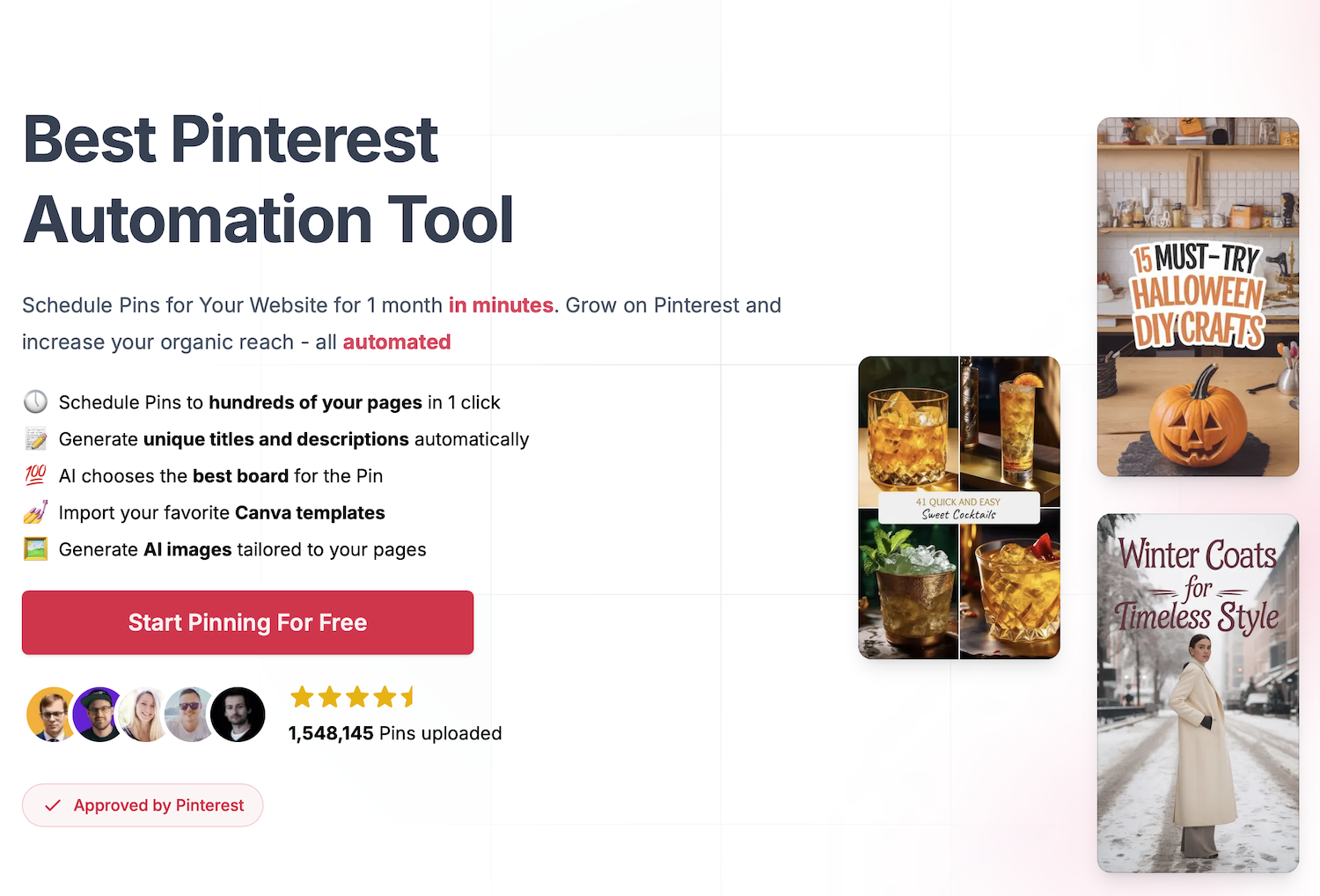
BlogToPin is a Pinterest automation tool that converts your blog posts into eye-catching pins and schedules them for you. It auto-generates unique titles and descriptions, lets AI pick the best board for each pin, imports your Canva templates, and can schedule pins across hundreds of your pages in a single click. It bills itself as “approved by Pinterest.”
2. Who Is BlogToPin Best For?
✅ Bloggers who want Pinterest traffic without the grind
This is the core use case. If you have a content library and no time to pin it, BlogToPin does the repetitive work for you.
✅ Niche site owners with lots of pages
The “schedule pins to hundreds of pages in one click” feature is a real lever if you’ve got a big back-catalog sitting idle.
✅ Agencies managing multiple sites
Unlimited Pinterest accounts and websites even on the entry plan make it practical for people juggling several properties.
❌ Brands wanting fully hand-crafted, art-directed pins
Automation means templated output. If every pin must be a bespoke design, you’ll still be doing manual work.
❌ Anyone expecting Pinterest results overnight
This automates the work, not the algorithm. Organic Pinterest growth still takes consistent time to compound.
3. Core Features Breakdown
3.1 Blog-post-to-pin generation
Point it at your pages and it generates pins — you can even preview five pins for any URL before signing up, which is a nice trust signal.
3.2 AI titles, descriptions, and board selection
It writes unique pin copy and automatically routes each pin to the most relevant board, removing two tedious manual steps.
3.3 Smart scheduling at scale
Schedule a month of pins in minutes and push to hundreds of pages in one click — the biggest time-saver here.
3.4 Canva template import
Bring your own Canva templates so pins match your brand instead of looking generic.
4. Pricing
BlogToPin has a free way to start and paid plans that get cheaper billed annually. At the time of writing:
- Starter — $25/month (billed annually, $299/year): unlimited Pinterest accounts & websites, 35 pins/day (1,000/month), 500 AI pins/month, smart scheduling, basic analytics.
- Agency — $50/month (billed annually, $599/year): everything in Starter, 350 pins/day (10,000/month), 1,000 AI pins/month, advanced analytics, priority support.
- A higher tier is also listed at $125/month (billed annually, $1,499/year) for the largest volume needs.
Prices are in USD and can change — confirm the current tiers and pin limits on the official pricing page before subscribing.
5. Pros & Cons
Pros: huge time savings on pin creation and scheduling; unlimited accounts/sites even on Starter; AI copy and auto board selection; Canva template import; free preview and free tier to test.
Cons: templated pins won’t satisfy brands needing bespoke design; results depend on Pinterest’s algorithm, not just the tool; top tier is pricey; AI pin limits are separate from total pin limits.
6. BlogToPin vs Tailwind
Tailwind is the established Pinterest scheduler, strong on analytics and a broader social feature set. BlogToPin’s edge is the automated blog-post-to-pin pipeline — it generates the pins for you, not just schedules ones you’ve made. If your bottleneck is creating pins from an existing blog, BlogToPin removes more work. If you want a mature all-round scheduler, Tailwind is worth weighing.
7. Final Verdict: Is BlogToPin Worth It in 2026?
If you have a content library gathering dust and want Pinterest traffic without the manual slog, BlogToPin genuinely earns its place. It won’t magically make you go viral — organic growth still takes time — but it removes the biggest reason bloggers quit Pinterest: the tedium. Use the free preview and free tier to see the pins it generates for your own posts before paying.
Frequently Asked Questions
Is BlogToPin approved by Pinterest?
The site states it’s approved by Pinterest and uses compliant scheduling; always follow Pinterest’s current terms for automation.
Can I preview pins before signing up?
Yes — you can paste a URL and preview five pins it would generate for that page.
Is there a free plan?
Yes, you can start for free before choosing a paid tier.
Can I use my own Canva templates?
Yes, BlogToPin lets you import your favorite Canva templates so pins match your brand.
How many pins can I schedule?
Limits scale by plan — from 35 pins/day on Starter up to 350 pins/day on Agency, plus separate AI pin allotments.
👉 Where to Get BlogToPin
You can start for free and explore the plans here: Try BlogToPin.
Affiliate disclosure: the link above is an affiliate link. If you sign up through it, I may earn a commission at no extra cost to you. This review reflects my own hands-on testing.