Every business eventually hits the same wall: too many repetitive customer messages and not enough hours to answer them. I’ve wanted to automate that with a chatbot for ages, but most builders either need code or lock you into one messenger. Botmother promises no-code bots across all the major platforms at once, so I put it through its paces. Here’s my honest, first-person review.
1. What Is Botmother?
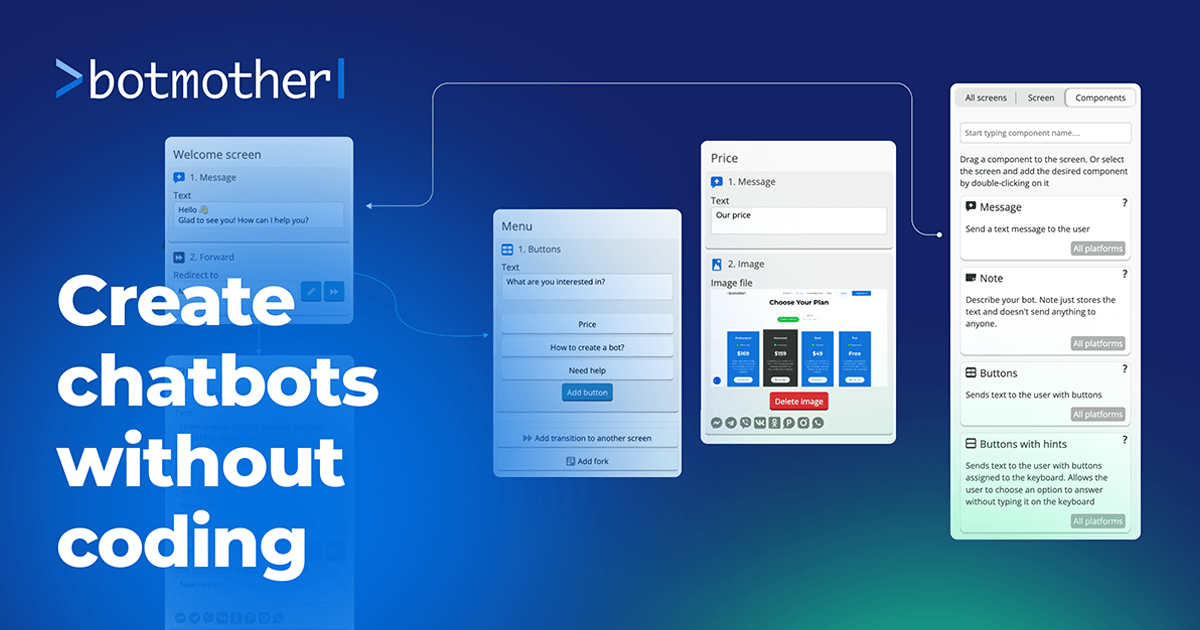
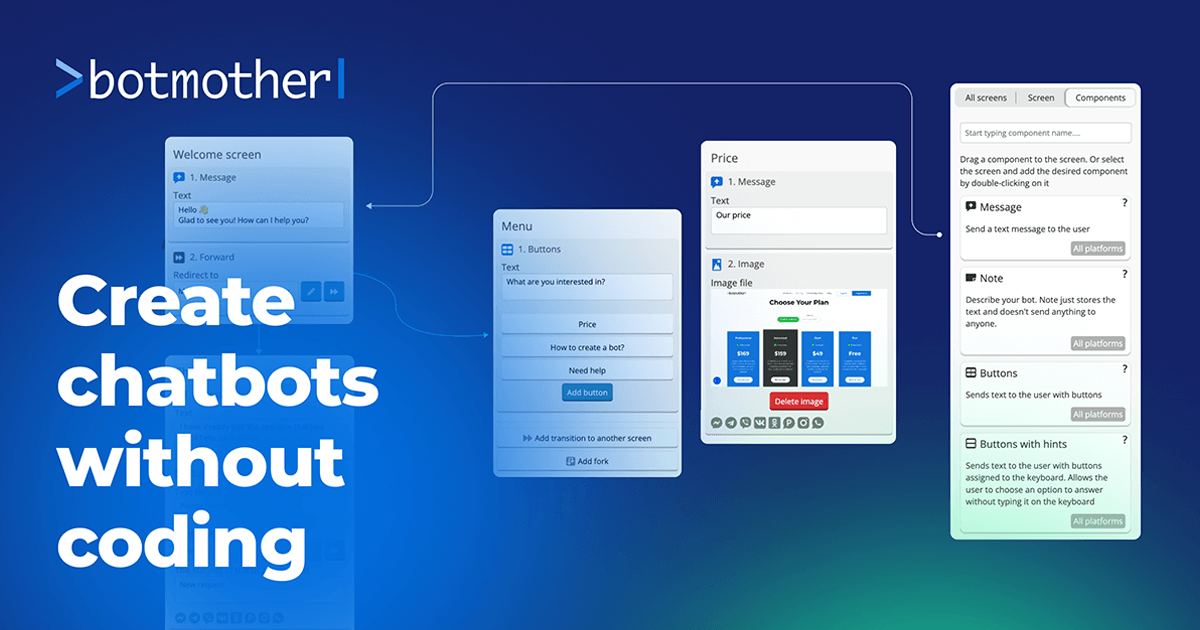
Botmother is a no-code chatbot builder for business. You create chatbots — without programming — for Telegram, WhatsApp, Viber, Facebook, Instagram, VK, and website chat widgets, all from one unified platform. It’s aimed at automating support, sales, and internal processes, and now includes AI assistants with natural-language understanding.
2. Who Is Botmother Best For?
✅ Businesses juggling multiple messengers
If your customers are spread across Telegram, WhatsApp, and Instagram, building once and deploying everywhere is the core appeal.
✅ Support and sales teams drowning in routine questions
Automating FAQs, lead capture, and routine sales flows frees your team for the conversations that actually need a human.
✅ Non-technical founders and marketers
The no-code visual builder means you don’t need a developer to launch a working bot.
❌ Teams needing deep custom logic or integrations
Very complex, bespoke automation may still push you toward a developer-built solution or heavier platforms.
❌ Anyone wanting a fully free production bot
The free plan is for testing; live, unrestricted bots require a paid tariff.
3. Core Features Breakdown
3.1 No-code visual builder
Design conversation flows visually and launch bots without writing code — the heart of the platform.
3.2 Multi-messenger deployment
One bot can run across Telegram, WhatsApp, Viber, Facebook, Instagram, VK, and website widgets, so you meet customers where they are.
3.3 AI assistants
Natural-language processing lets bots understand and respond more flexibly than rigid button-only flows.
3.4 Helpdesk & analytics
Website chat widgets come with a helpdesk system and analytics so you can manage conversations and measure performance.
4. Pricing
Botmother gives you a free Test plan on registration (up to 10 test bots with user/message limits), then paid tariffs for live bots. Based on the pricing page at the time of writing:
- Test — free, for building and testing up to 10 bots with limits.
- Start — 1 live bot, with an introductory price of $22/month for the first 2 months for new users (regular price higher).
- Advanced — 5 live bots, $159/month, full functionality with no user/message limits.
- Professional — 10 live bots, $169/month, full functionality with no limits.
Prices are in USD and can change; annual billing and automatic discounts may apply — confirm the current tariffs on Botmother’s pricing page before subscribing.
5. Pros & Cons
Pros: true no-code building; one bot across many messengers; AI/NLP assistants; helpdesk and analytics; free test plan; discounted intro price for new users.
Cons: free plan is test-only; jump from Start to Advanced pricing is steep; very complex logic may exceed no-code limits; you’re responsible for messaging-platform compliance.
6. Botmother vs ManyChat
ManyChat is hugely popular but centers heavily on Instagram and Facebook Messenger marketing. Botmother’s edge is broader messenger coverage from one builder — Telegram, WhatsApp, Viber, VK, and website widgets included. If your audience lives on Instagram/FB, ManyChat is polished for that; if you need genuinely multi-platform bots (especially Telegram-heavy), Botmother covers more ground.
7. Final Verdict: Is Botmother Worth It in 2026?
For a business that needs to automate customer conversations across several messengers without hiring a developer, Botmother is a practical, capable choice — and the free test plan lets you build a real bot before paying. Just map your live-bot needs to the tariffs, because the step up to multi-bot plans isn’t cheap. Build and test on the free plan first, then upgrade once the bot proves its value.
Note: when automating outreach on messengers, follow each platform’s terms and applicable anti-spam/privacy rules — message only users who’ve opted in and honor unsubscribe requests.
Frequently Asked Questions
Which messengers does Botmother support?
Telegram, WhatsApp, Viber, Facebook, Instagram, VK, and website chat widgets from one platform.
Do I need to code?
No — it’s a no-code visual builder aimed at non-technical users.
Is there a free plan?
Yes, a free Test plan lets you build and test up to 10 bots with limits; live bots need a paid tariff.
Does it have AI?
Yes — it offers AI assistants with natural-language processing for more flexible responses.
How much does a live bot cost?
Start (1 live bot) has an intro price of $22/mo for 2 months; Advanced (5 bots) is $159/mo and Professional (10 bots) is $169/mo — confirm current pricing on the site.
👉 Where to Get Botmother
You can try it for free and explore the plans here: Try Botmother.
Affiliate disclosure: the link above is an affiliate link. If you sign up through it, I may earn a commission at no extra cost to you. This review reflects my own evaluation.