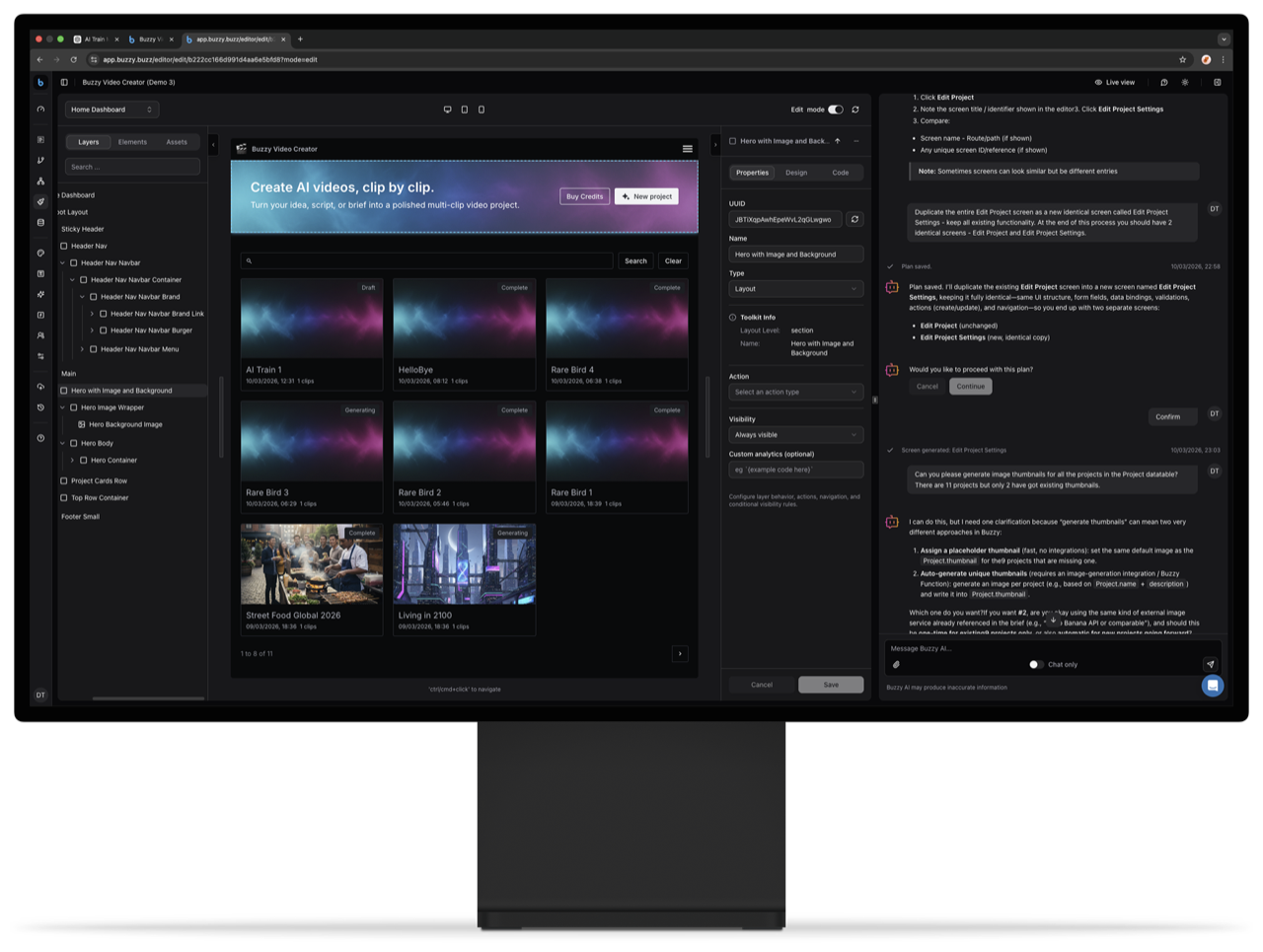
AI can spit out a working app in minutes now — the real problem is what happens after: security holes, dependency drift, and a pile of one-off codebases nobody wants to maintain. That's the exact problem Buzzy says it's built to solve, so I went straight to the source to see how it actually works. Here's what I found.
What Is Buzzy?
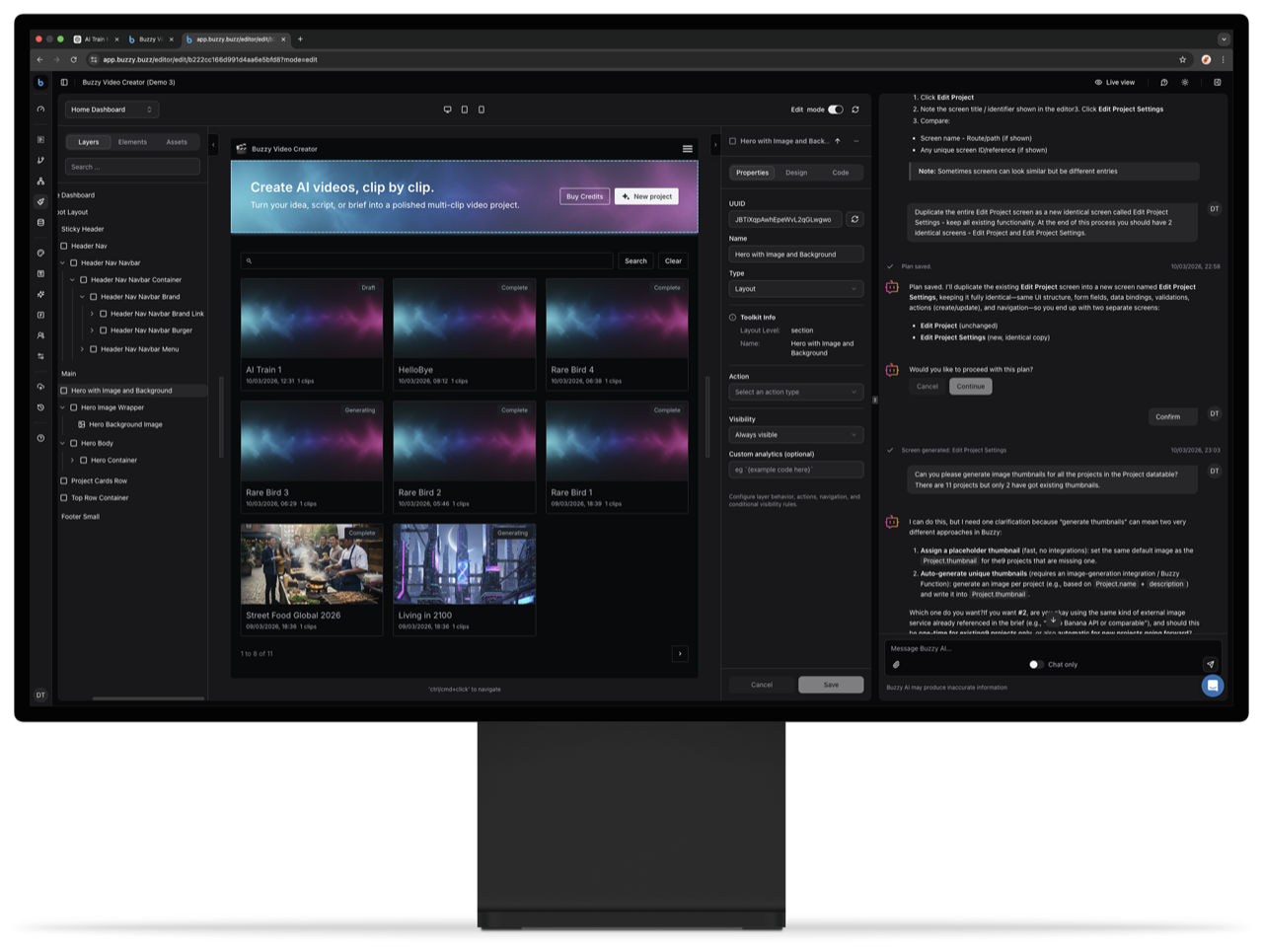
Buzzy positions itself as a platform for "governed AI application delivery without technical debt." Instead of having AI generate a fresh, fragile codebase for every app idea, Buzzy turns your prompt into a semantic application definition that runs on a shared, governed core engine. In plain terms: you get a real, production-ready app, but it isn't a one-off pile of generated code your team now has to babysit forever.
The company's newest release, Buzzy Next, bundles together a "Builder MCP," security and privacy controls, automated testing, toolkits, and agents — all wrapped into what they call governed enterprise app delivery.
The Problem Buzzy Is Actually Solving
Buzzy's site makes a pretty blunt argument: AI makes it easy to build apps, but much harder to run, secure, and maintain them. They call out specific failure modes that will sound familiar to anyone shipping AI-generated code:
- Security issues introduced by AI-generated code
- Broken dependencies
- Data leaks
- Version drift across generated codebases
- Build failures
They cite a stat worth noting: maintenance already consumes 60–70% of software spend, and AI code generation is accelerating that burden (source: Pegotec, 2026, per Buzzy's site).
How the Architecture Works
Rather than generating a new codebase every time, Buzzy runs everything through one core engine with multiple app definitions sitting on top of it. That structural choice is what unlocks the benefits they advertise:
One core engine
Platform hardening, reliability work, and upgrades happen once, in a shared execution layer — not duplicated across every app you spin up.
Multiple app definitions
Each app stays distinct without turning your whole portfolio into a graveyard of disconnected codebases.
Centralized compliance and security
Security, compliance, and governance controls are applied once and carried consistently across every application built on the platform.
Instant evolution
New platform capabilities roll out across all your existing apps without you having to rebuild each one's execution layer from scratch.
Controlled extensibility
Custom code stays narrow and deliberate, so the shared system underneath remains durable and easy to maintain.
They also mention AI cookbooks (reusable instructions guiding how Buzzy apps get created and edited) and a prebuilt UI toolkit with theming options.
Real Example Apps
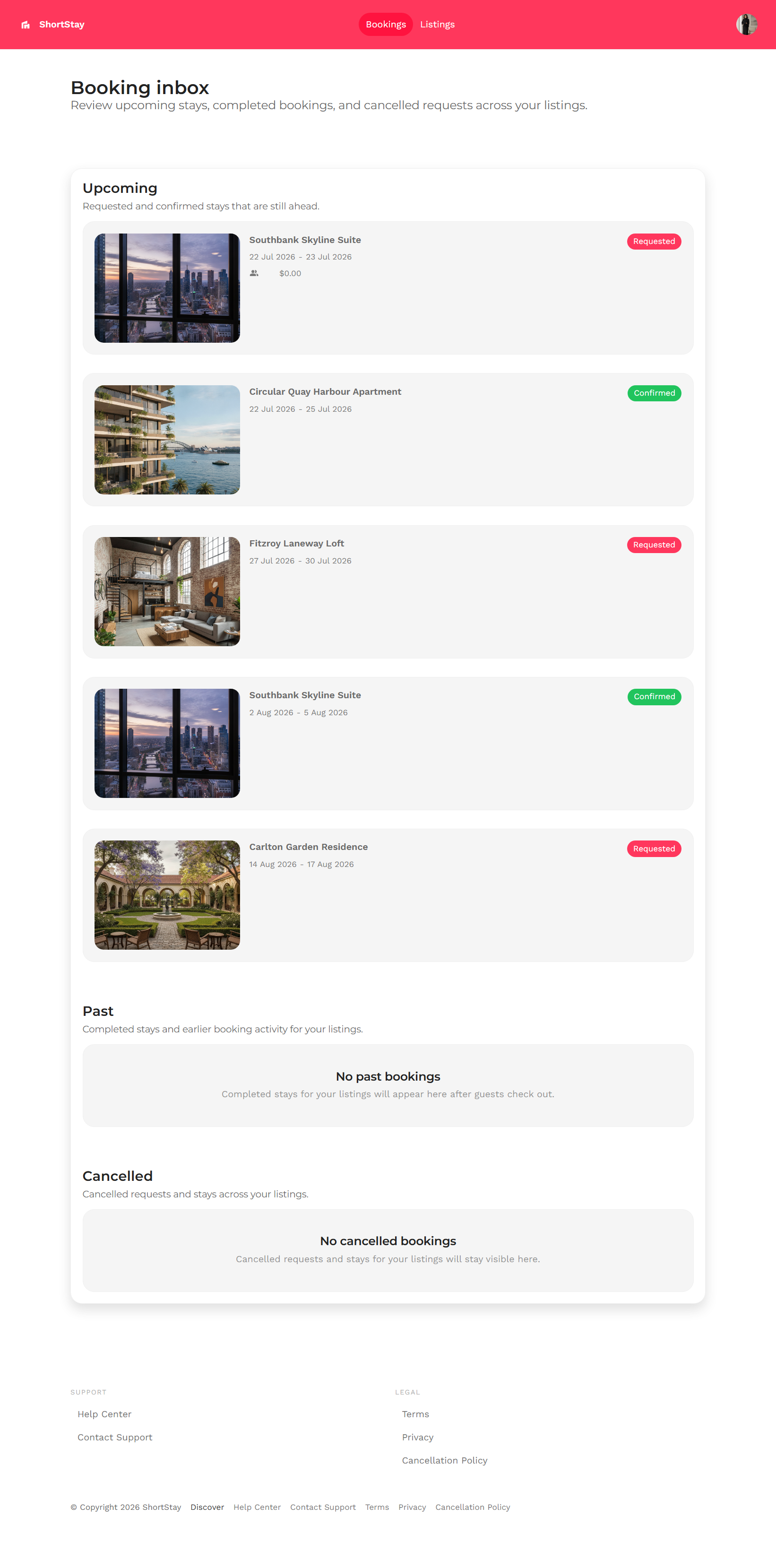
Buzzy showcases actual apps built on the platform, including a short-term rental booking product ("ShortStay") with host booking management, listings, and admin user screens, plus a "City Weather" template that pulls in live external weather data through what they call the Buzzy Universal Data Connector — a good illustration of how the platform handles third-party data integration without custom glue code.
Pricing & Plans
Buzzy's pricing page confirms you can start completely free: use the Figma plugin or their no-code tools manually without spending on paid AI credits, and even bring your own OpenAI API key for supported workflows instead of using Buzzy-managed AI credits. You only move to a paid, managed hosting/publishing plan once you're ready for production deployment.
On the deployment side, Buzzy compares three service tiers — Small, Medium, and Large — across infrastructure capabilities:
- Small: 1 compute unit, shared MongoDB cluster, 100MB S3 storage, SSL included, web app publishing, forum & email support
- Medium: 1 compute unit, shared MongoDB cluster, 10GB S3 storage, SSL included, web app publishing, forum/chat/email support
- Large: 4 compute units, your own dedicated MongoDB cluster, 100GB S3 storage, SSL included, forum/chat/email support
Exact dollar pricing for each tier wasn't listed as plain text on the page at the time of this review — check Buzzy's live pricing page for current numbers before you commit to a plan. Buzzy is explicit that AI credits are non-refundable, and reminds users that output quality depends heavily on your prompt quality — they even link out to their own "Getting Started Guide" and "Ultimate Guide for Vibe Coding an Application with AI" before you start burning credits.
Pros and Cons
Pros
- Free to start — no paid AI credits required to try the Figma plugin or no-code tools
- Bring-your-own-API-key option for supported workflows
- Shared core engine means security/compliance patches apply once across all your apps, not per-app
- Clear Small/Medium/Large deployment tiers with transparent feature comparisons
- Real, live example apps (ShortStay, CareConnect, City Weather) to see the output quality firsthand
- Reusable "AI cookbooks" and a prebuilt UI toolkit to speed up build quality
Cons
- Exact dollar pricing per tier isn't spelled out plainly on the marketing pages — you'll need to dig into the live plans to get final numbers
- AI credits are non-refundable, so a poorly-scoped prompt can cost you real budget
- Newer "Buzzy Next" enterprise release is presented as a waitlist/early-access product, so full feature availability may vary
FAQ
Is Buzzy free to use?
Yes — you can start for free using the Figma plugin or Buzzy's no-code tools, and you can bring your own OpenAI API key for supported workflows instead of paying for Buzzy-managed AI credits.
What's the difference between Buzzy and typical AI code generators?
Instead of generating a brand-new, fragile codebase for every app, Buzzy creates a semantic application definition that runs on one governed core engine — so security, compliance, and platform upgrades apply centrally instead of per-app.
What is Buzzy Next?
Buzzy Next is the newer enterprise release that bundles Builder MCP, security/privacy controls, automated testing, toolkits, and agents into governed enterprise app delivery. It's currently positioned around a waitlist/early access flow.
How much does deployment cost?
Buzzy offers Small, Medium, and Large deployment tiers with different compute, database, and storage allocations. Check the live pricing page for current dollar pricing on each tier.
Final Verdict
If your team has been burned by "vibe coded" AI apps turning into unmaintainable one-off codebases, Buzzy's governed, semantic-definition approach is a genuinely different angle worth testing — especially since you can try it for free before spending a cent on AI credits. It's not going to be the right fit for every use case (particularly if you need very custom, code-first control), but for teams that want to ship multiple AI-assisted apps without multiplying their maintenance burden, it's worth a serious look.
Try Buzzy for free and explore governed AI app delivery →
#Buzzy #AIAppBuilder #NoCodeAI #SoftwareDevelopment #AITools #TechReview