Every business wants an AI chatbot on their site, but most tools either can’t use your own content or need a developer to set up. Chatwith promises a custom ChatGPT-style chatbot trained on your website and files, live in minutes, with no coding. I put it to the test — here’s my honest, first-person review.

1. What Is Chatwith?
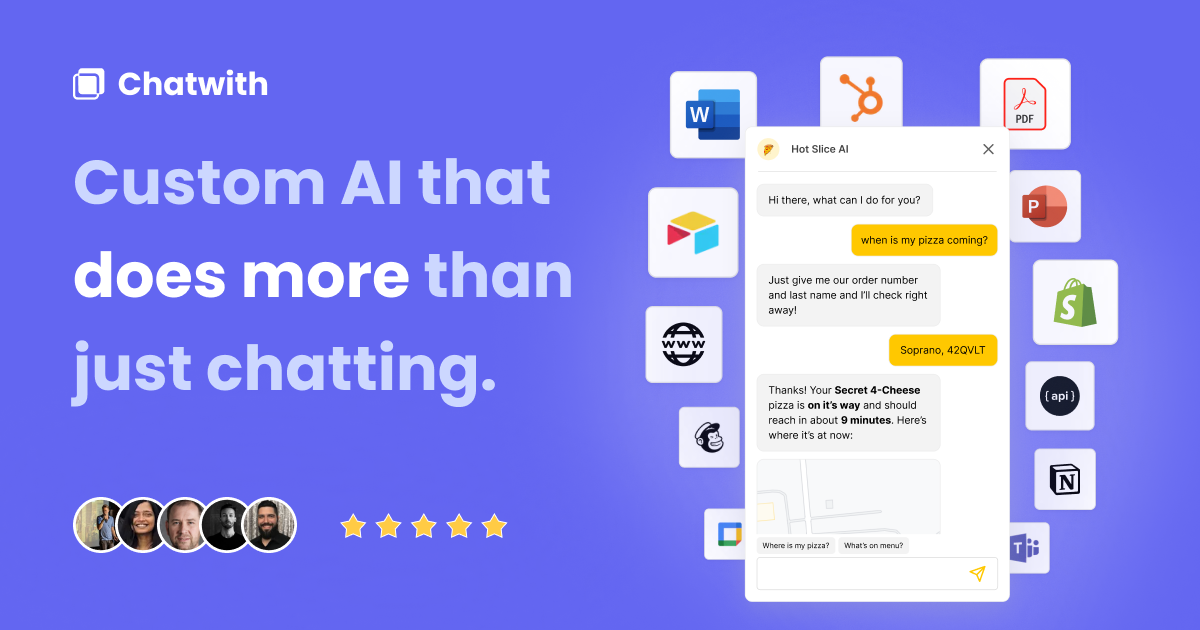
Chatwith is a custom AI chatbot builder. You train a ChatGPT-powered bot on your own data — website, knowledge base, PDFs, even YouTube videos — and embed it on your site in minutes with zero coding. Beyond chatting, it can take AI actions and integrate with 6,000+ apps, so it doesn’t just answer questions but helps convert and automate. Its site says it’s trusted by 900+ customers powering millions of conversations.
2. Who Is Chatwith Best For?
✅ Businesses wanting 24/7 support automation
A bot trained on your knowledge base answers customer questions around the clock, deflecting repetitive tickets.
✅ Marketers focused on conversion and leads
With lead collection and AI actions, it’s built to convert visitors, not just chat.
✅ Non-technical teams
Zero-coding setup and easy embedding make it accessible to anyone who can copy a snippet.
❌ Teams needing a fully bespoke conversational AI
If you need deep custom NLP pipelines and total control, a developer platform may suit better.
❌ Sites with almost no content or traffic
If you have little to train on or few visitors, the value of a trained chatbot is limited.
3. Core Features Breakdown
3.1 Trained on Your Data
Feed your website, knowledge base, PDFs and YouTube videos so the bot answers accurately from your own content.
3.2 AI Actions & 6,000+ Integrations
Beyond answers, it can take actions and connect to thousands of apps (WordPress, WhatsApp, Slack, Telegram and more).
3.3 Lead Collection & Analytics
Capture leads, review analytics and refine responses, with auto-training to keep the bot up to date.
3.4 Whitelabel & Customisation
Higher tiers remove branding, add custom domains, custom CSS/JS, your own LLM API key, a client portal and management API.
4. Pricing
Chatwith has a 14-day free trial on all plans (cancel anytime; yearly billing gives 2 months free):
Hobby — $19/month: 1,000 messages/mo, 10M training characters, 1 chatbot, unlimited sources.
Standard — $99/month (Popular): 10,000 messages/mo, 20M characters, 3 chatbots, advanced AI models, AI actions, integrations and more.
Business — $399/month: 40,000 messages/mo, 50M characters, 5 chatbots, whitelabel (remove branding), custom domain, use your own LLM API key, client portal and management API. Confirm current pricing on the official site.
5. Pros & Cons
Pros: Trains on your website, files and YouTube; no coding, live in minutes; AI actions plus 6,000+ integrations; lead collection and analytics; whitelabel and custom domain on higher tiers; 14-day free trial.
Cons: Message and character limits per tier; whitelabel/custom domain require the pricey Business plan; and, like all AI chatbots, answer quality depends on the content you train it on and needs occasional refinement.
6. Chatwith vs Chatbase
Chatbase is one of the most popular custom-chatbot platforms, known for simple training on your data. Chatwith differentiates with AI actions and its huge 6,000+ app integration footprint, positioning itself as a chatbot that does things, not just answers. Chatbase has a large user base and a polished experience. If you mainly want a well-known Q&A bot, compare Chatbase; if you want actions and deep integrations to convert and automate, Chatwith is compelling. Both offer trials, so test with your own content.
7. Final Verdict: Is Chatwith Worth It in 2026?
For businesses that want a capable, on-brand AI chatbot without hiring a developer, Chatwith is well worth trying. Training on your own content is straightforward, the AI actions and vast integrations set it apart from simple Q&A bots, and the 14-day trial lets you prove value first. The caveats are tier limits and that the best whitelabel features sit on the $399 Business plan. If a chatbot could deflect support tickets or capture leads for you, start with the trial and see how it performs on your data.
Frequently Asked Questions
What is Chatwith?
It’s a no-code custom AI chatbot trained on your website, files and YouTube videos, embeddable on your site in minutes.
How much does Chatwith cost?
Hobby is $19/mo, Standard $99/mo and Business $399/mo, all with a 14-day free trial and 2 months free on yearly billing.
Can it do more than chat?
Yes — it supports AI actions and integrates with 6,000+ apps, plus lead collection, so it can convert and automate, not just answer.
Do I need to code?
No — setup is zero-coding and the bot goes on your website in minutes.
Can I remove Chatwith branding?
Yes, whitelabel (remove branding), custom domain and related features are available on the Business tier.
👉 Where to Get Chatwith
You can start a free trial and build your chatbot here: Try Chatwith.
Affiliate disclosure: This post contains an affiliate link. If you sign up through it, I may earn a commission at no extra cost to you. All opinions are my own based on hands-on use.