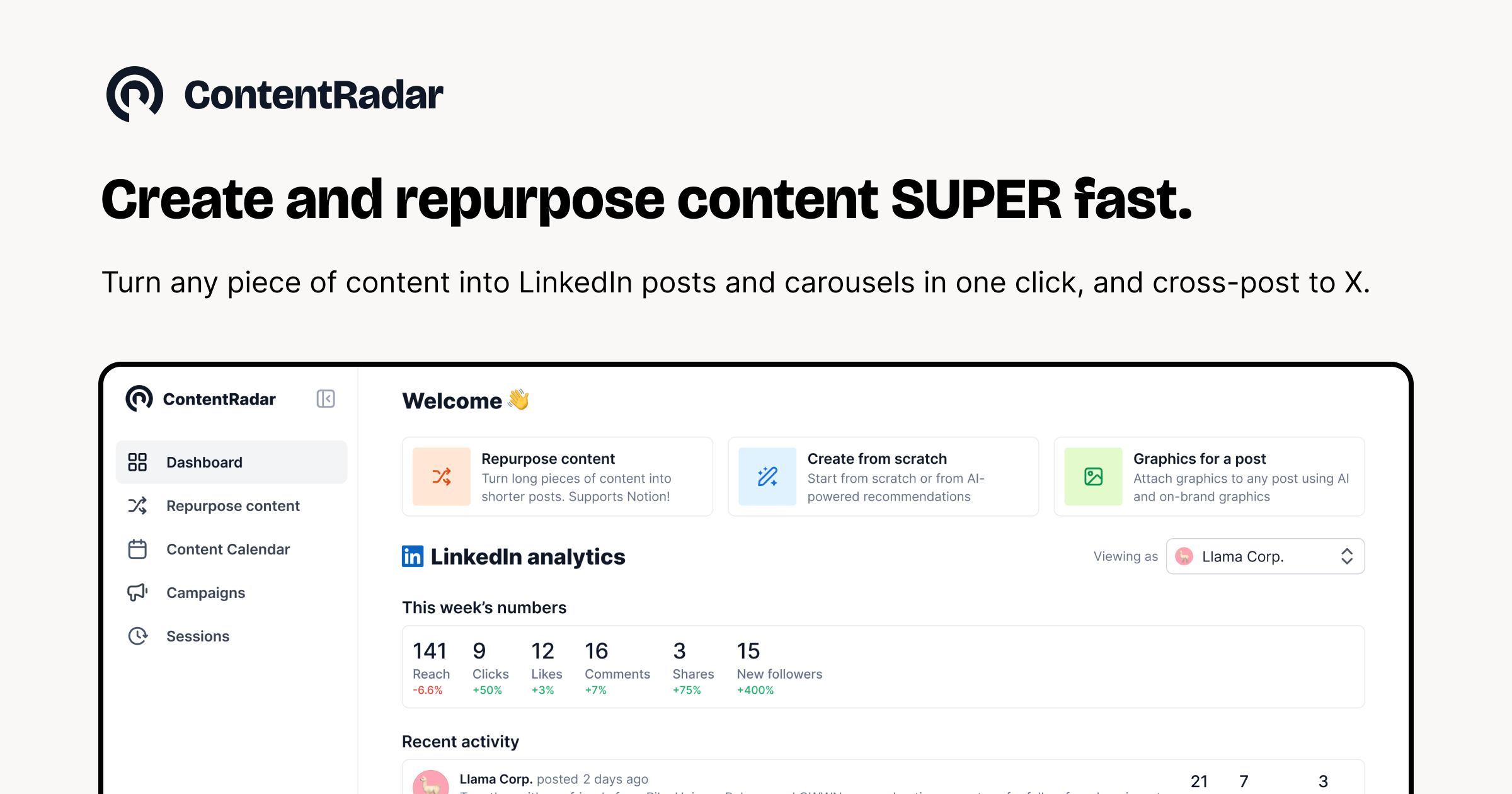
Growing on LinkedIn is a grind — ideating, writing, designing graphics, scheduling, repurposing. I’ve juggled four different tools for it. So I tested ContentRadar, an AI toolbox built specifically to scale LinkedIn (and X) content in one place. Here’s my honest first-person review.

1. What Is ContentRadar?
ContentRadar is an AI-powered content toolbox aimed at professionals and B2B teams who want to grow on LinkedIn and X. It bundles ideation, AI writing, content repurposing, AI graphic generation, scheduling, and a shared content calendar into a single workspace. The pitch is simple: create and repurpose content with AI in one click, then schedule and post — without stitching together a stack of separate apps. It’s EU/US-investor backed and used by teams running serious B2B content programs.
2. Who Is ContentRadar Best For?
✅ Solo creators building a LinkedIn presence
If you’re a founder or professional posting consistently, the ideate-write-schedule loop in one tool removes most of the friction that kills posting habits.
✅ B2B marketing teams scaling content
Shared workspaces and a shared content calendar make it built for teams collaborating on a content pipeline, not just individuals.
✅ People who repurpose across LinkedIn and X
The one-click repurposing is the standout — turn one idea into posts for both platforms fast.
❌ Creators focused on Instagram, TikTok or YouTube
ContentRadar is LinkedIn- and X-centric. If your growth is on visual/video platforms, this isn’t built for you.
❌ Anyone wanting fully hands-off automation
It speeds creation dramatically, but you still steer the ideas and edit the output — it’s an assistant, not a set-and-forget bot.
3. Core Features Breakdown

3.1 Ideate, write & repurpose with AI
The core trio: generate post ideas, draft them with AI, and repurpose existing content into new posts in one click. It attacks every stage of the blank-page problem.
3.2 AI graphics generation
You can generate graphics with AI right inside the tool, and paid plans strip the watermark — so your posts look designed without leaving the app.
3.3 Scheduling & shared content calendar
Schedule LinkedIn and X posts and manage everything from a shared content calendar, which is what makes team coordination actually workable.
3.4 Shared workspaces & post actions
Shared workspaces let collaborators work together, and post actions are designed to increase engagement on LinkedIn after you publish.
4. Pricing
Here’s the honest pricing as displayed on ContentRadar’s site. There’s a 7-day free Pro trial and a free way to get started:
Starter Plan: $14/month (or $140/year, ~2 months off) — 50 AI generations/month, 50 scheduled LinkedIn & X posts/month, 1 connected channel, graphics without watermark, 1 workspace. Best for individuals and their collaborators.
Pro Plan: $39/month (or $390/year, ~2 months off) — unlimited AI generations and unlimited scheduled posts, more channels and workspaces. Best for teams and heavy multi-account users.
Business Plan: custom — contact their team for larger needs. Confirm current pricing at checkout as plans and limits can change.
5. Pros & Cons
Pros: All-in-one LinkedIn/X workflow (ideate, write, repurpose, design, schedule); genuinely useful one-click repurposing; team-friendly shared workspaces and calendar; AI graphics with no watermark on paid plans; affordable Starter tier plus a 7-day Pro trial.
Cons: Limited to LinkedIn and X (no IG/TikTok/YouTube); Starter caps AI generations at 50/month; AI drafts still need human editing for voice and accuracy.
6. ContentRadar vs Taplio
Taplio is the well-known LinkedIn growth tool with a large post-inspiration database and strong personal-branding features, but it’s LinkedIn-only and priced higher at its upper tiers. ContentRadar covers both LinkedIn and X, leans harder into team collaboration (shared workspaces and calendar), and bundles AI graphics generation. Taplio wins on LinkedIn-specific depth and its inspiration library; ContentRadar wins on multi-platform reach, team features, and value. For teams repurposing across LinkedIn and X, ContentRadar is the more practical fit.
7. Final Verdict: Is ContentRadar Worth It in 2026?
For anyone serious about LinkedIn (and X) growth who’s tired of duct-taping tools together, ContentRadar is a strong consolidation play. The repurposing and AI writing save real time, the shared calendar makes team content manageable, and at $14 to start it’s reasonably priced. It won’t help you on visual platforms, and you’ll still edit the AI output, but for B2B text content it delivers. Start on the free/trial tier and upgrade to Pro if you hit the generation cap.
Frequently Asked Questions
How much does ContentRadar cost?
The Starter plan is $14/month ($140/year) and the Pro plan is $39/month ($390/year), with a custom Business plan for larger teams. A 7-day free Pro trial is available.
Is there a free trial?
Yes — you can sign up and get a 7-day free Pro plan trial, plus a free way to get started.
Which platforms does ContentRadar support?
It’s built for LinkedIn and X (Twitter), covering ideation, writing, repurposing, graphics, and scheduling for both.
Does ContentRadar work for teams?
Yes — shared workspaces and a shared content calendar make it well suited to B2B teams collaborating on content.
Can I generate graphics with ContentRadar?
Yes, it generates graphics with AI, and paid plans deliver them without a watermark.
👉 Where to Get ContentRadar
You can start free and try the Pro trial here: Visit ContentRadar.
Affiliate disclosure: This post contains an affiliate link. If you sign up through it, I may earn a commission at no extra cost to you. All opinions are my own and pricing reflects what was publicly displayed at the time of writing.