I review customer-support and team-collaboration tools, and shared inbox software is a category where "simple" and "powerful" usually pull in opposite directions — you get an easy tool that can't scale, or a powerful one nobody on the team wants to use. Helpwise kept coming up as the platform that tries to be both, so I dug into what it actually does, how the per-user pricing works, and whether the from-$12/user/mo plan earns its keep. Here's my honest, no-hype review.

1. What Is Helpwise?
Helpwise is an easy-to-use customer service platform that lets a team manage all customer communication from a single place. The pitch is that it works like Gmail but is far more powerful — a shared inbox where your whole team can reply to email, live chat, social, and more without stepping on each other. It's trusted by over 5,000 users, picked up a G2 "best support in the industry" nod, and is positioned as an affordable alternative to heavier help desks like Front, Help Scout, Intercom, and Hiver.
2. Who Is Helpwise Best For?
This is a tool for teams that share an inbox and are tired of forwarding, CC chaos, and "who's replying to this?" Here's who gets the most out of it — and who probably doesn't.
✅ Small support teams outgrowing a shared Gmail
If support@ is currently a single Gmail everyone logs into, Helpwise adds assignment, collision detection, and accountability without a steep learning curve.
✅ Growing teams that need automation
Rules, saved replies, and chatbots let a small team handle more volume without hiring proportionally.
✅ Multi-channel businesses
If customers reach you on email, live chat, WhatsApp, Facebook, and SMS, the universal inbox pulls it all into one view.
❌ Solo operators with light volume
If it's just you answering a handful of emails, a normal mailbox is fine — per-user pricing with a 2-user minimum won't pay off.
❌ Enterprises needing a full CRM/ITSM suite
Helpwise is a shared-inbox-first help desk, not a heavyweight ITSM or sales CRM — if you need deep ticketing workflows or a sales pipeline, scope it carefully.
3. Core Features Breakdown
Helpwise organizes itself around four pillars — Automate, Support, Collaborate, and Analyse. Here's what actually matters.
3.1 Universal Inbox
The core is a universal inbox that unifies your customer channels — email, live chat, Facebook, WhatsApp, SMS — so queries from everywhere land in a single view your team works from together.

3.2 Automation & Saved Replies
You can build automation rules to route, assign, and act on conversations automatically, and lean on saved replies (canned responses) for repetitive questions — the difference between a team that drowns in volume and one that scales.

3.3 Chatbots & Help Center
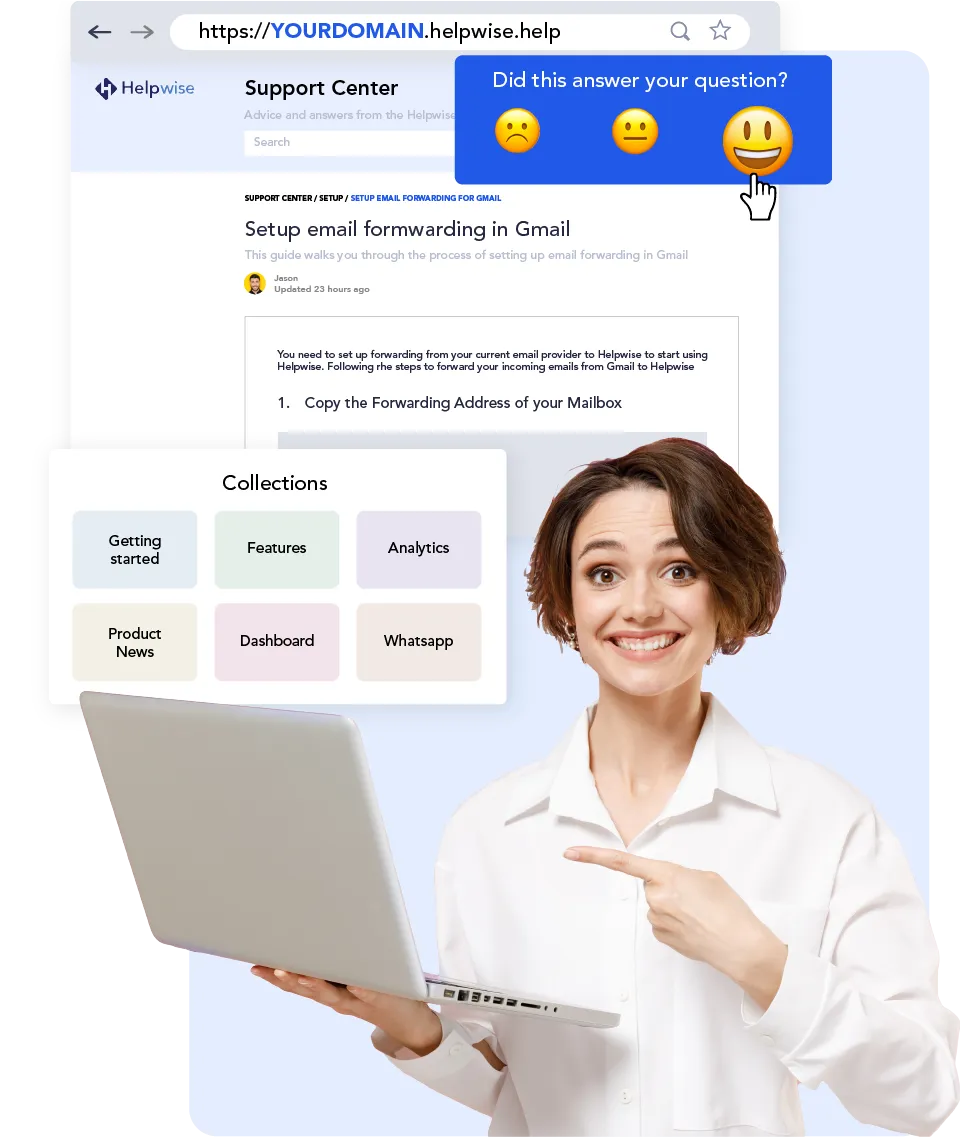
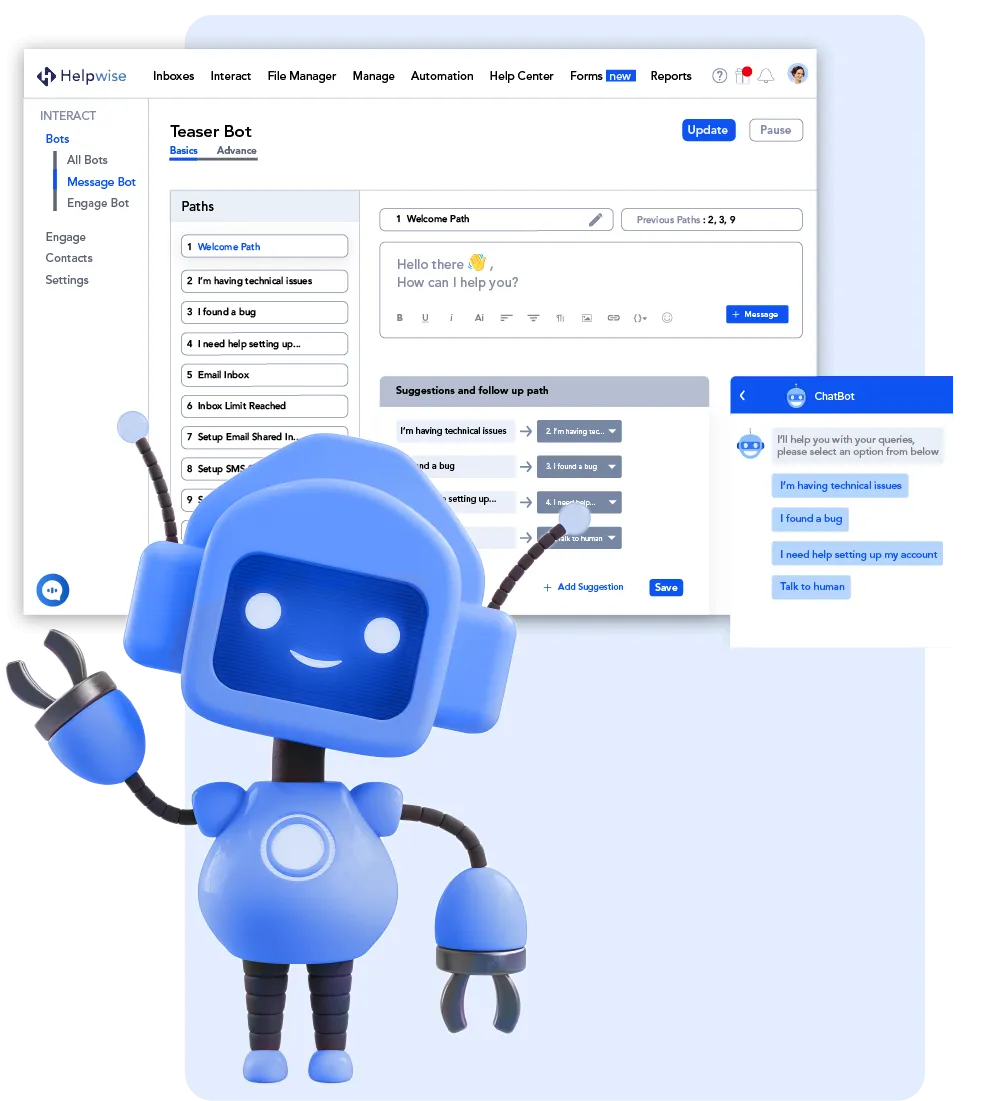
Deflect repetitive work before it hits a human: set up a self-serve help center / knowledge base to cut inbound queries, and build chatbots that handle chat support and reduce workload.
3.4 Collaboration & Analytics
Teams can collaborate inside customer conversations with internal notes and mentions for quick, accurate resolution, while analytics (standard through advanced, plus CSAT on higher tiers) show how the team is performing.

Integrations
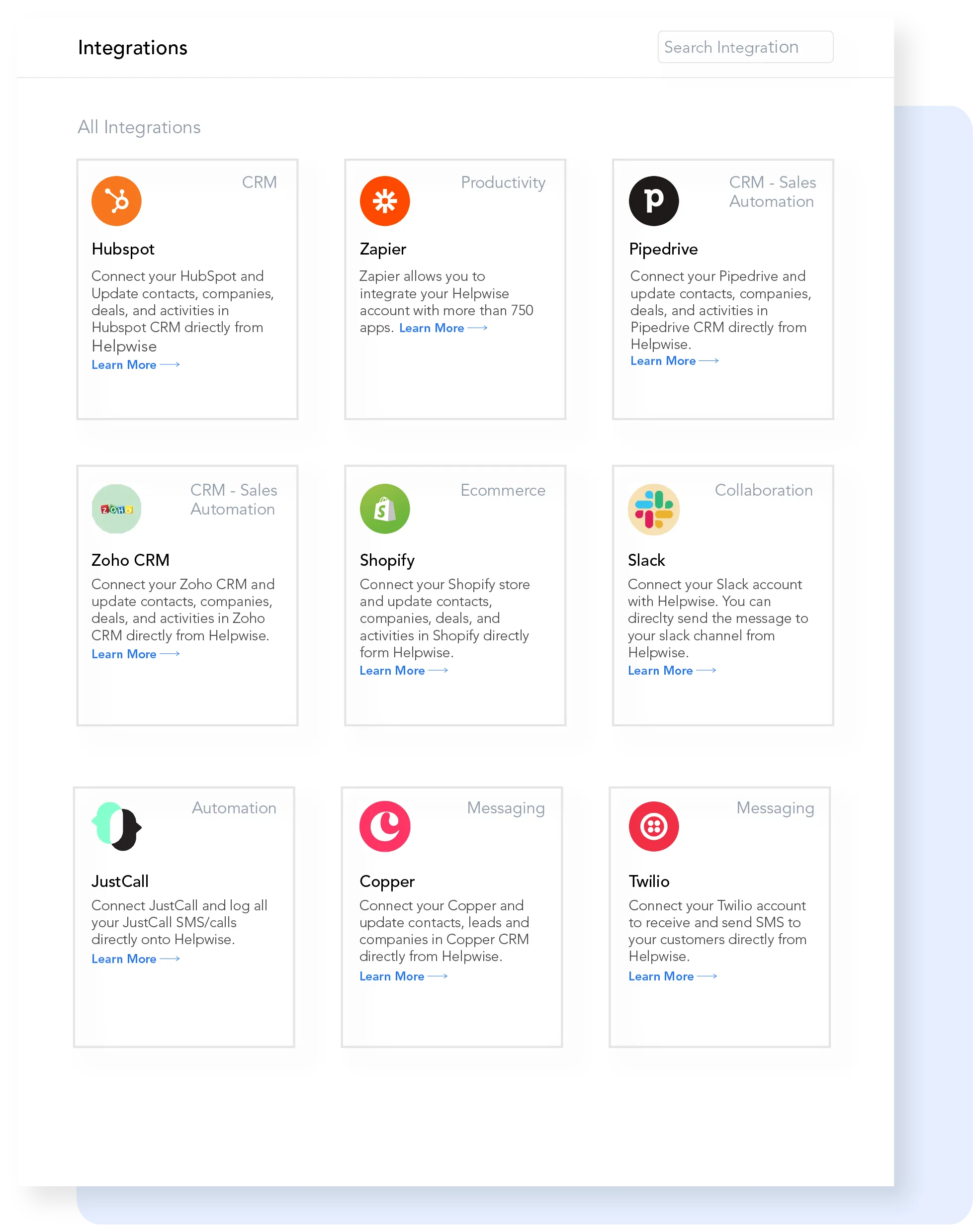
Helpwise connects with 50+ integrations — calendars, task management apps, and CRMs — natively, plus a custom app feature to build your own.
4. Pricing & Plans
Helpwise is priced per user, per month, with a 7-day free trial on every plan and 20% off annual billing. There are three tiers: Standard at $12/user/mo annually ($15 monthly) for small teams — 3 shared inboxes, 15 saved replies, help center, email/live chat/Facebook, and collaboration features (min 2, max 10 users). Premium at $23/user/mo annually ($29 monthly) adds automation for growing teams — 10 shared inboxes, unlimited saved replies, 25 automation rules, all channels, chatbot/calling/WhatsApp, advanced analytics, CSAT, and AI Assist & Summarize. Advanced at $39/user/mo annually ($49 monthly) is built to scale — 30 shared inboxes, unlimited automation rules, SLA rules, AI auto-prioritization, custom views, SSO, and priority support. There are also add-ons: extra inboxes ($42 for 3/mo), a chatbot add-on ($8/user/mo), and a cloud phone system ($4/active user/mo).
5. Pros & Cons
✅ Pros
The "works like Gmail but more powerful" framing is real — the low learning curve means a team actually adopts it instead of resenting it. The universal inbox plus automation, chatbots, and a help center covers the full support stack at a price well below Front or Intercom, the 7-day free trial on every tier lets you test before paying, AI Assist and summarize are useful time-savers on Premium and up, and 50+ integrations plus a custom app option mean it fits most workflows.
❌ Cons
Honesty matters: pricing is per user with a 2-user minimum (3 on Advanced), so solo or very small users won't get value. Some of the most useful pieces — extra chatbots, calling, and additional inboxes — can be add-ons on lower tiers, so map your real needs to a tier before assuming the entry price is your final cost. And while it's a capable help desk, it's shared-inbox-first rather than a full enterprise ITSM or sales CRM, so very complex ticketing or pipeline needs may stretch it.
6. Helpwise vs Front / Intercom
Helpwise (affordable shared inbox)
You get the core of a modern help desk — shared inboxes, automation, chatbots, omnichannel — at $12–$39/user/mo with an easy onboarding. Ideal for small-to-growing teams that want power without enterprise pricing.
Front / Intercom (premium help desks)
More depth and ecosystem, but materially higher cost and complexity. Worth it for large support orgs with the budget; overkill for teams whose main job is replying to a shared inbox cleanly.
7. Final Verdict: Is Helpwise Worth It in 2026?
If your team shares an inbox and the current setup is forwarding, collisions, and dropped replies, Helpwise is a capable, fairly priced upgrade that adds real structure — assignment, automation, chatbots, and analytics — without the learning curve or price tag of the premium help desks. It's best for small-to-growing support teams and multi-channel businesses; solo operators and full-blown enterprises should look at their needs more carefully. Start with the 7-day free trial to feel the workflow, and from $12/user/mo on the annual plan it reads as strong value for the category.
Frequently Asked Questions
What is Helpwise used for?
Helpwise is a shared inbox and customer service platform that lets teams manage email, live chat, social, and other customer channels from one place, with automation, chatbots, and collaboration features.
How much does Helpwise cost?
Plans start at $12/user/mo (Standard, billed annually), then $23/user/mo (Premium) and $39/user/mo (Advanced). Monthly billing is $15/$29/$49. Every plan has a 7-day free trial and 20% off annual billing.
Is there a free trial?
Yes — all three plans include a 7-day free trial so you can test the workflow before committing.
Is Helpwise a good Front or Help Scout alternative?
Yes, especially for small-to-growing teams. It covers the core shared-inbox, automation, and omnichannel features at a lower price point than Front or Intercom, with an easy learning curve.
Does Helpwise support multiple channels?
Yes. The universal inbox unifies email, live chat, Facebook, WhatsApp, and SMS, with chatbot, calling, and more available depending on plan.
Want to try it? You can start your Helpwise free trial directly here — an easy-to-use shared inbox and customer service platform with a universal inbox, automation, chatbots, help center, and AI assist, with plans from $12/user/mo (billed annually).
Disclosure: this review contains an affiliate link. Pricing is per user and billed monthly or annually at the listed rates, with some features available as add-ons; check the current pricing page for the latest plans and any promotions.