Hubflo Review (2026): The All-In-One Client Portal & Management Platform for Modern Service Businesses

4
If you run a consulting firm, agency, accounting practice, legal office, or any service-based business, you already know the chaos:
-
Client emails scattered across inboxes
-
Files shared in Google Drive
-
Tasks tracked in Notion, Asana, or ClickUp
-
Invoices created in a separate tool
-
Contracts handled somewhere else
-
CRM in yet another platform
What if everything lived in one structured, branded client workspace?
That’s exactly what Hubflo promises.
In this in-depth review, we’ll break down:
-
What Hubflo is & who it’s for
-
Core features explained
-
Real pros & cons
-
Pricing breakdown
-
Who should (and shouldn’t) use it
-
Final verdict + FAQ
Let’s dive in.
1️⃣ What Is Hubflo?
Hubflo is an all-in-one client portal and client management platform built specifically for service businesses.
Unlike generic project management tools, Hubflo is designed around the client experience — giving you a centralized, branded workspace where clients can:
-
View projects
-
Upload/download files
-
Sign contracts
-
Receive invoices
-
Send messages
-
Track progress
-
Access shared knowledge
Think of it as a professional operating system for your service business.
Who Is Hubflo Best For?
Hubflo is ideal for:
If you regularly collaborate with clients and need a structured, secure client portal — Hubflo was built for you.
2️⃣ Core Features Explained
Let’s go feature by feature.
🔹 2.1 Client Portal (The Core Engine)
4
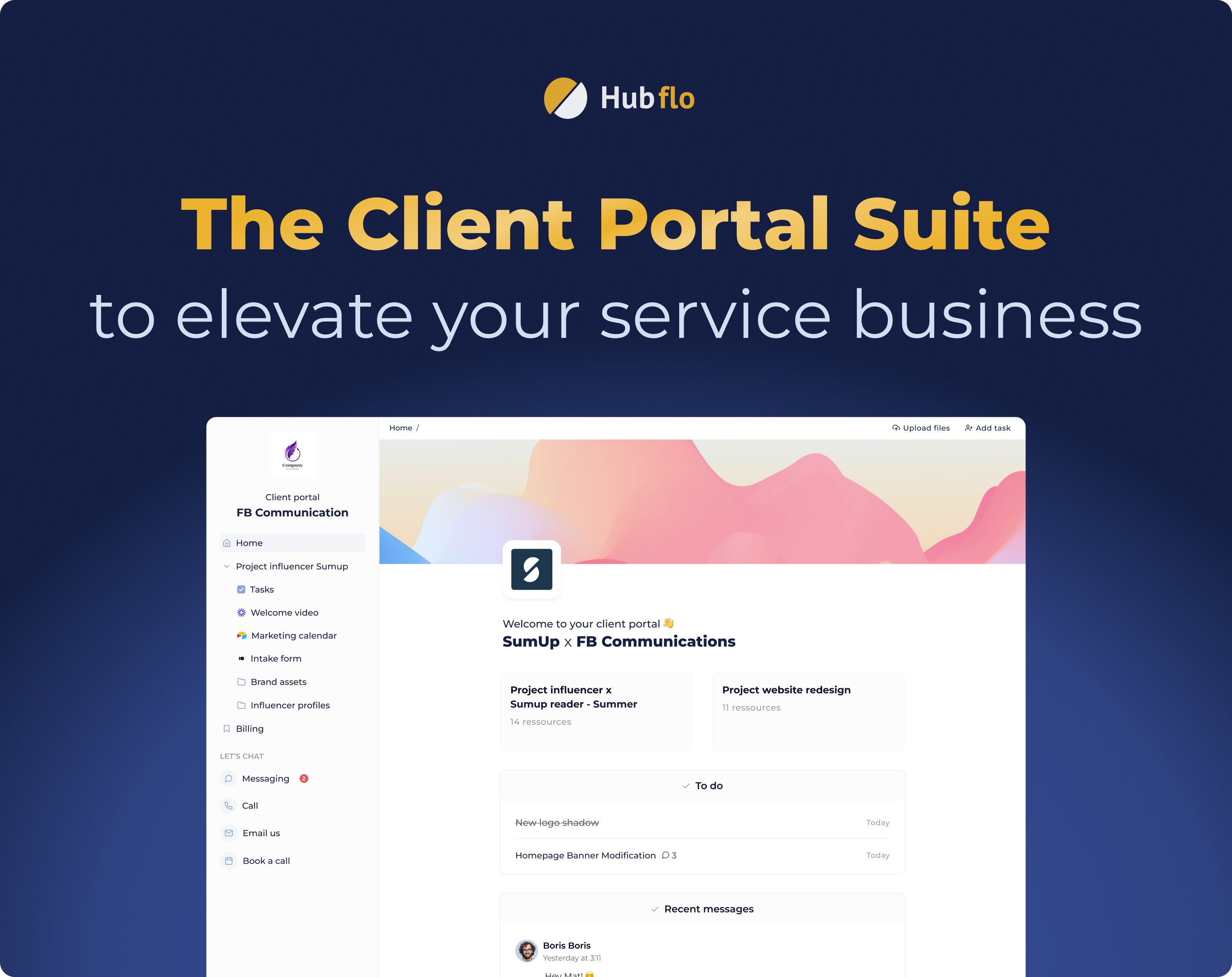
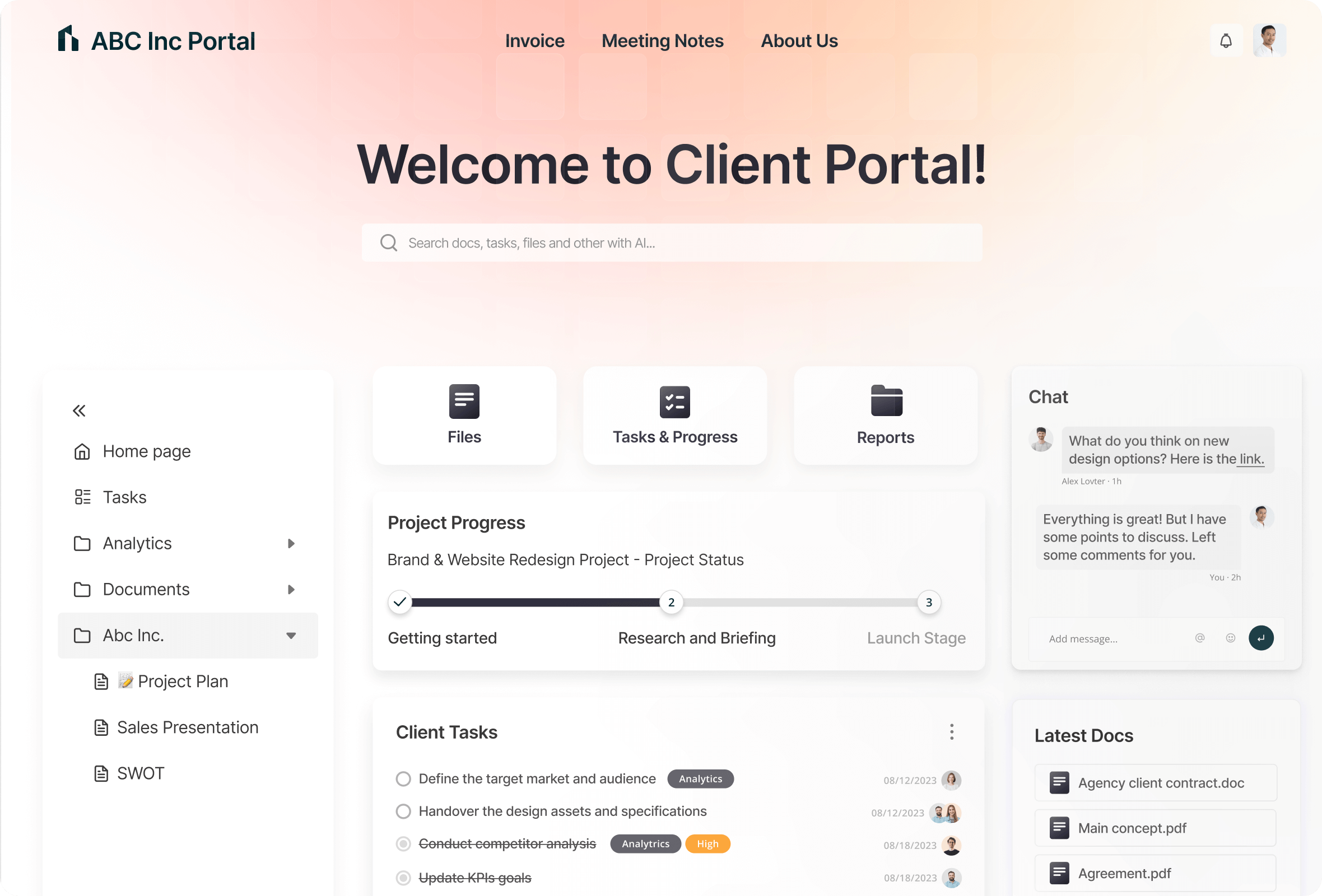
The client portal is where Hubflo shines.
Each client gets access to a dedicated workspace where they can:
Why This Matters
Instead of messy email threads, clients log into one structured portal.
This dramatically improves:
-
Professionalism
-
Transparency
-
Client trust
-
Communication clarity
You can even white-label the portal with your brand colors and logo — making it look like your own internal platform.
🔹 2.2 Task & Project Management
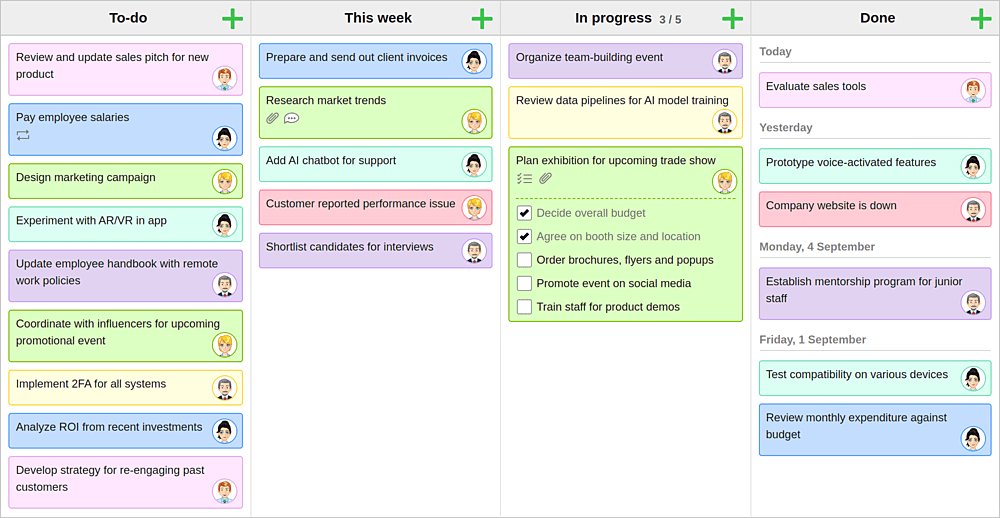
Hubflo includes built-in project management tools:
-
Kanban boards
-
Task assignments
-
Due dates
-
Status tracking
-
Team collaboration
Unlike tools like Asana or ClickUp, Hubflo’s tasks are directly tied to the client portal experience.
That means clients can see progress in real time without needing a separate system.
🔹 2.3 File Sharing & Document Management
Secure document sharing is built directly into each client workspace.
You can:
This eliminates Google Drive link chaos.
Everything stays in one secure, structured environment.
🔹 2.4 Billing, Invoicing & Payments

4
Hubflo allows you to:
-
Create invoices
-
Track payment status
-
Monitor revenue
-
Manage subscriptions
Instead of using separate invoicing software, you keep billing inside your client ecosystem.
This improves:
🔹 2.5 CRM & Contact Management
Hubflo includes a built-in CRM where you can:
For small to mid-sized firms, this removes the need for a separate CRM tool.
🔹 2.6 Automation & Workflow Optimization
You can automate:
-
Onboarding sequences
-
Recurring tasks
-
Client notifications
-
Project creation
-
Document requests
This is especially powerful for firms handling many similar projects.
Automation reduces admin workload and increases scalability.
3️⃣ Hubflo Pros & Cons
✅ Pros
✔ All-in-one platform (portal + CRM + billing + tasks)
✔ Clean, modern interface
✔ Built specifically for service businesses
✔ White-label branding
✔ Improves client experience significantly
✔ Reduces tool stack complexity
❌ Cons
✖ Not ideal for product-based businesses
✖ Advanced enterprises may want deeper automation integrations
✖ Learning curve if migrating from multiple systems
4️⃣ Hubflo Pricing Breakdown
Hubflo offers tiered pricing depending on:
-
Number of users
-
Feature access
-
Automation capabilities
Compared to paying for:
-
Asana
-
DocuSign
-
QuickBooks
-
CRM software
-
Client portal software
Hubflo often becomes cost-effective by consolidating everything into one platform.
👉 If you want to explore their current plans and features, you can Start your free trial with Hubflo here.
5️⃣ Who Should Use Hubflo?
🟢 Best For:
-
Agencies with 10–100 clients
-
Consulting firms scaling operations
-
Firms wanting structured client experience
-
Teams tired of tool overload
🔴 Not Ideal For:
6️⃣ Hubflo vs Competitors
| Feature |
Hubflo |
ClickUp |
Notion |
Client Portal Tools |
| Client Portal |
✅ Native |
❌ |
❌ |
✅ |
| CRM |
✅ Built-in |
❌ |
❌ |
❌ |
| Invoicing |
✅ |
❌ |
❌ |
❌ |
| Task Management |
✅ |
✅ |
⚠️ |
❌ |
| White Label |
✅ |
❌ |
❌ |
Sometimes |
Hubflo is not just a task manager.
It’s a client operating system.
7️⃣ Final Verdict: Is Hubflo Worth It?
If you run a service business and feel overwhelmed by:
Hubflo is a strong solution.
It centralizes your:
-
Clients
-
Projects
-
Files
-
Billing
-
Communication
In one structured ecosystem.
For growing firms focused on professionalism and scalability, Hubflo can dramatically improve internal efficiency and client satisfaction.
👉 You can explore it risk-free by starting your Hubflo trial here.
FAQ About Hubflo
❓ Is Hubflo only for agencies?
No. It’s for any service-based business that manages client relationships.
❓ Does Hubflo replace project management tools?
Yes, for most service firms it can replace tools like Asana or Trello.
❓ Can I brand the client portal?
Yes. You can customize branding and present it as your own workspace.
❓ Is Hubflo beginner-friendly?
Yes, though migrating from multiple tools may take short adjustment time.
❓ Is there a free trial?
Yes. You can check availability and current offers through this referral link:
👉 Access Hubflo here
Conclusion
Hubflo is not just another productivity app.
It’s a structured client collaboration system built for modern service businesses that want:
If that aligns with your business goals, it’s worth testing.
👉 Start your Hubflo journey here:
Try Hubflo Now