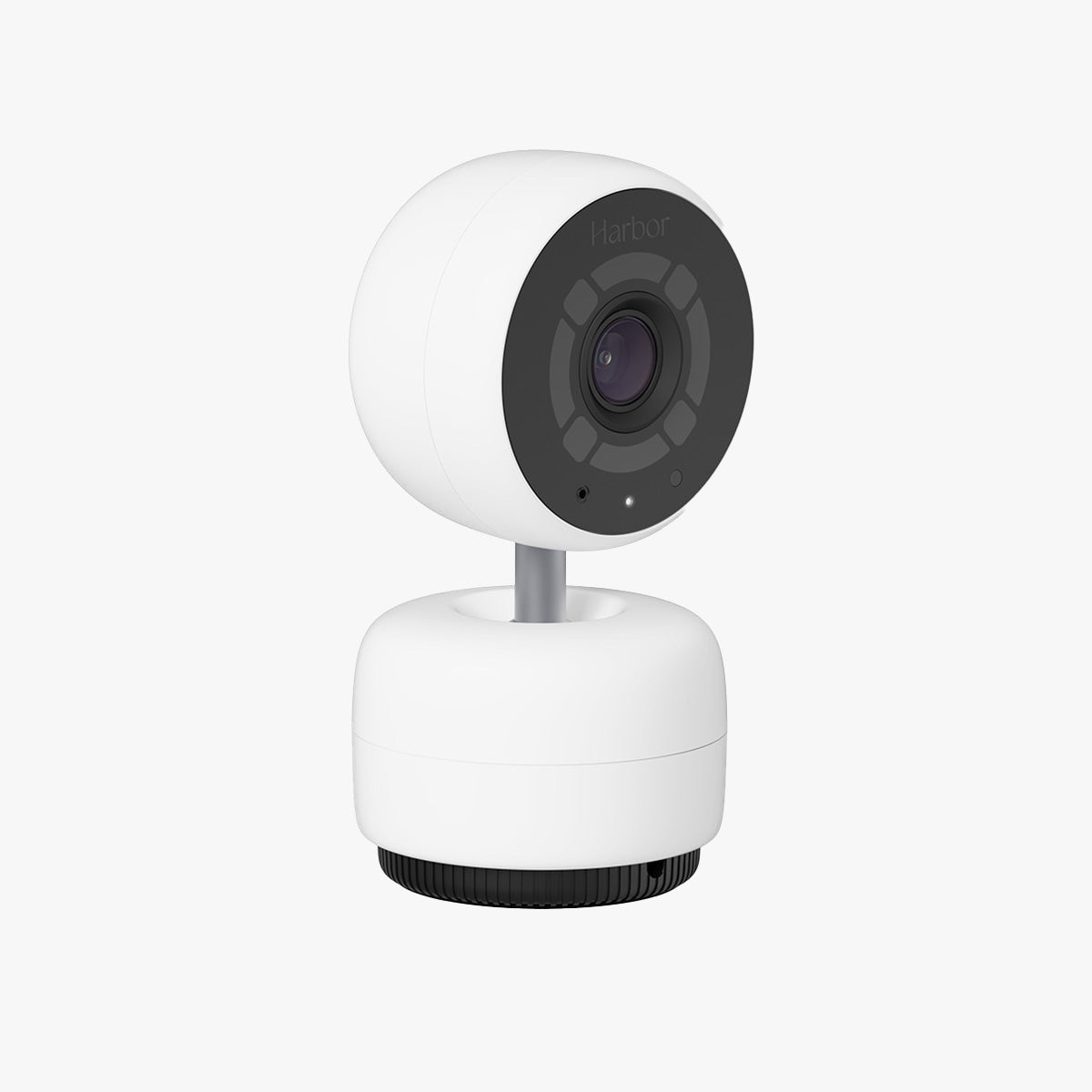
When our second little one arrived and moved into their own nursery, our single-camera baby monitor suddenly wasn't enough. Rather than start over with a new system, I added a second camera to our existing setup — the Harbor Camera add-on for the Harbor Baby Monitor. Here's my honest review as a parent who actually uses it every night.

1. What Is the Harbor Camera?
The Harbor Camera is an additional camera for the Harbor Baby Monitor system. Importantly, it's an add-on, not a standalone product: to use it you must already own the Harbor Baby Monitor, which comes as a bundle that includes the dedicated Monitor screen, one Camera, and a membership. This second camera lets you cover another room — typically a second nursery or a different angle — from the same dedicated monitor.
2. Who Is the Harbor Camera Best For?
✅ Families with more than one child or room to watch
If you have two kids in separate rooms, or want to watch both a crib and a play area, the second camera is the obvious answer.
✅ Existing Harbor Baby Monitor owners
It's designed to slot into the system you already have, so you keep the same dedicated screen and workflow rather than juggling a new app.
✅ Parents who prefer a dedicated monitor over a phone app
Harbor's whole appeal is a dedicated device instead of yet another phone notification. The add-on extends that experience to a second room.
❌ Anyone who doesn't already own the Harbor Baby Monitor
This camera does nothing on its own. If you don't have the base system, you need to buy that first.
❌ Single-room households
If you only have one room to monitor, the camera included with the base system already covers you — a second one is unnecessary.
3. Core Features Breakdown
3.1 Multi-room coverage on one monitor
The biggest benefit is watching more than one space from the same dedicated Harbor monitor, so you don't need a second device or second app to keep an eye on another room.
3.2 Designed to integrate with the Harbor system
Because it's a first-party add-on, it's built to pair with the existing Monitor and membership rather than acting as a separate, unrelated camera. That keeps setup and the day-to-day experience consistent.
3.3 Same dedicated-device approach
Harbor's philosophy is a dedicated baby monitor rather than a phone-app camera. Adding a camera extends that focused, distraction-free experience instead of pushing you back to your phone.
3.4 Requires the base bundle (Monitor + Camera + membership)
This is the key thing to understand before buying: the add-on explicitly requires the Harbor Baby Monitor, which includes the Monitor, one Camera, and a membership. Budget for the full ecosystem, not just the camera.
4. Pricing
On the official Harbor store, the additional Harbor Camera is listed at $250.00 (USD). Remember this is an add-on price on top of the base Harbor Baby Monitor system (which includes the Monitor, a Camera, and membership). Because pricing and any membership terms can change, check the live Harbor listing for the current camera price and what the base system and membership cost before buying.
5. Pros & Cons
Pros: Adds full multi-room coverage to an existing Harbor setup; integrates natively with the dedicated Monitor and membership; keeps the distraction-free, no-phone-app experience; simple way to expand rather than replacing your whole system.
Cons: Not standalone — it requires the Harbor Baby Monitor base system to function; $250 is a meaningful add-on cost; the broader system relies on a membership, which is an ongoing consideration; only makes sense if you genuinely need to watch more than one room.
6. Harbor Camera Add-On vs Buying a Separate Monitor
You could buy a second, unrelated baby monitor for the new room, but then you'd be checking two different screens or apps. The Harbor add-on keeps everything on one dedicated monitor with one consistent experience. If you value that single-pane simplicity and already trust Harbor, the add-on is the cleaner path; if you want a cheaper, fully independent second monitor, a separate unit may cost less.
7. Final Verdict: Is the Harbor Camera Worth It in 2026?
If you already own and like the Harbor Baby Monitor and now need to watch a second room, the Harbor Camera is the natural, no-fuss way to expand. It preserves the dedicated-device experience that made you choose Harbor in the first place. The honest caveats are clear: it's not standalone, $250 is a real add-on cost, and the system involves a membership. For multi-child or multi-room families inside the Harbor ecosystem, it's worth it; for everyone else, start with the base system first.
Frequently Asked Questions
Can I use the Harbor Camera on its own?
No. It's an add-on that requires the Harbor Baby Monitor, which includes the Monitor, one Camera, and a membership.
What does the add-on camera do?
It lets you monitor an additional room from your existing dedicated Harbor monitor — ideal for a second nursery or a different angle.
How much does it cost?
The additional Harbor Camera is listed at $250 on the official store, on top of the base system cost.
Does it use a phone app?
Harbor's approach centers on a dedicated monitor device rather than a phone app, and the add-on camera extends that same experience.
Is there an ongoing cost?
The base Harbor Baby Monitor system includes a membership, so factor that ongoing consideration in. Check the live listing for current terms.
Where to Get the Harbor Camera
👉 You can check the latest price and system requirements on the official Harbor store here: Get the Harbor Camera Add-On.
Affiliate disclosure: This article contains an affiliate link. If you buy through it, I may earn a small commission at no extra cost to you. I only recommend products I've genuinely tested.