I spend an embarrassing amount of time wrangling spreadsheets, and every “AI for data” tool I try either wants me to learn its query language or hallucinates numbers. So I put Keptune through my usual gauntlet of messy CSVs. Here’s my honest, first-person verdict.
1. What Is Keptune?
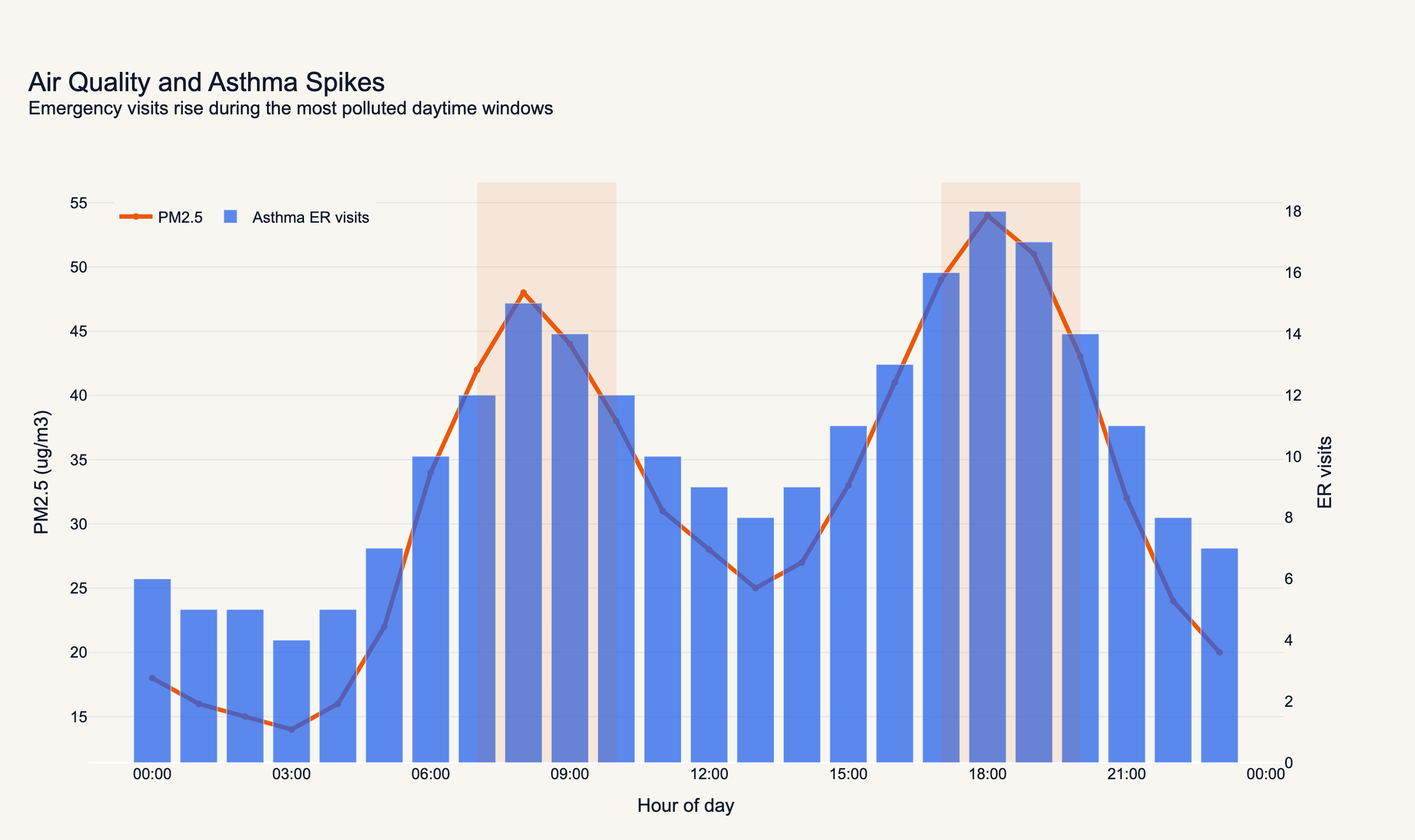
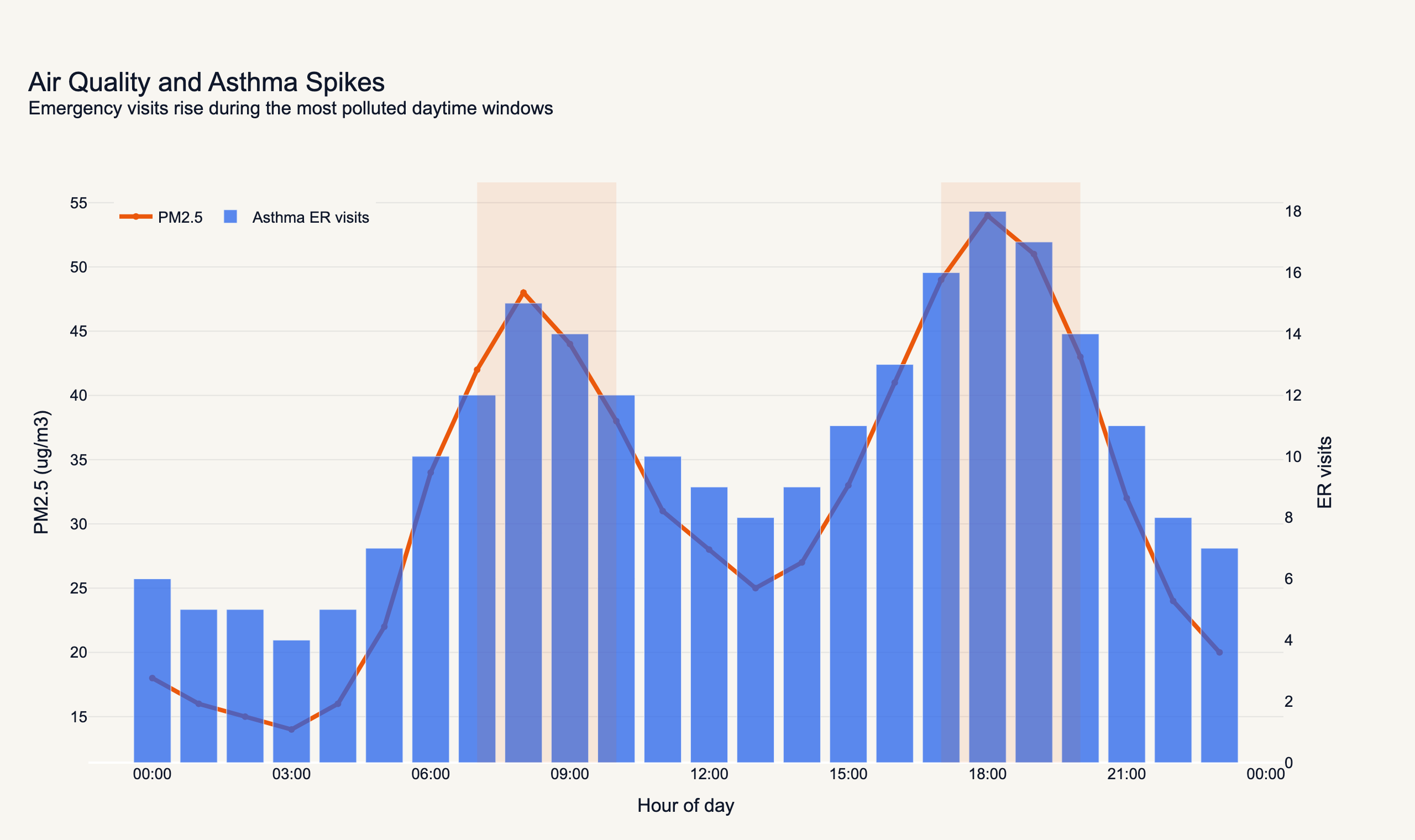
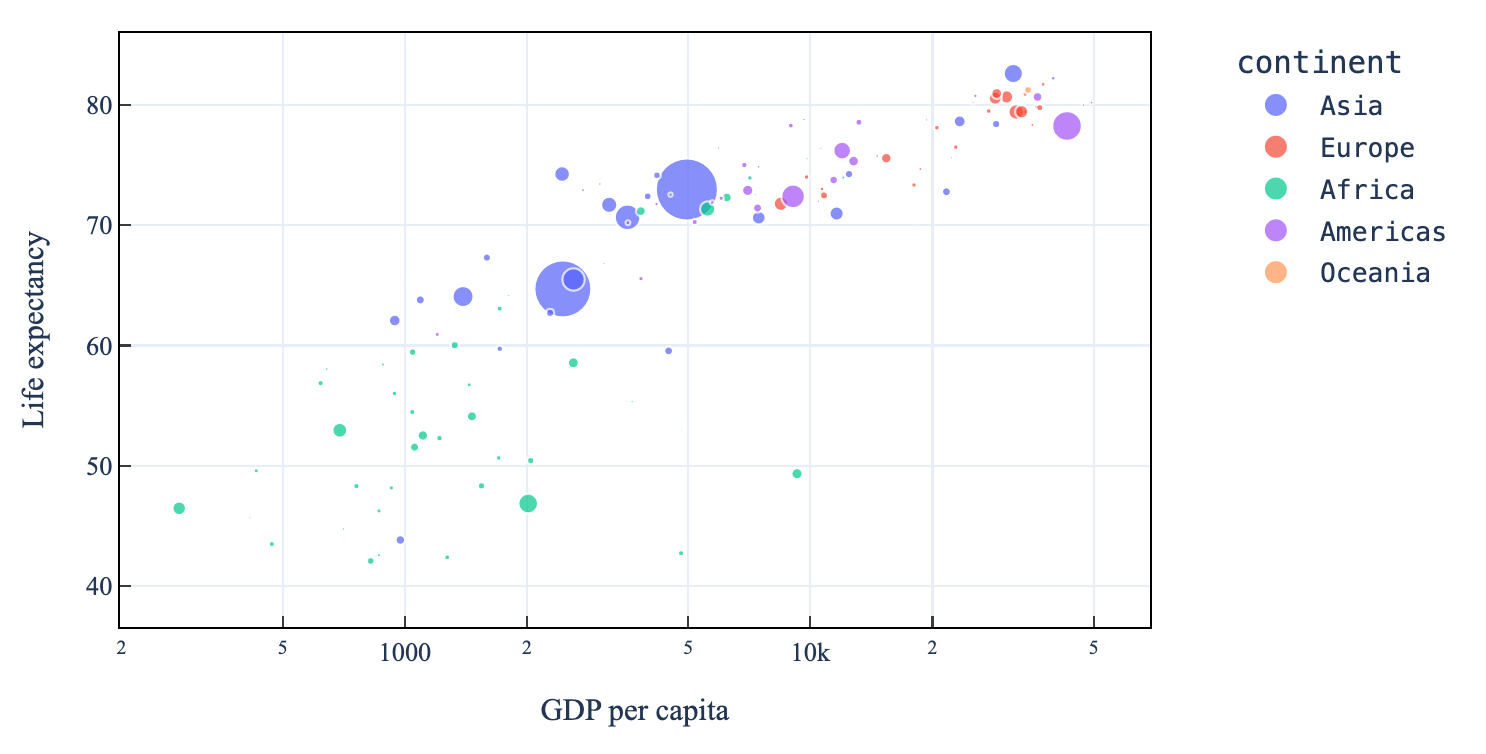
Keptune is an AI data-analysis tool for Excel files, CSVs, and databases. You upload your data and ask questions in plain English — “show when pollution spikes align with asthma ER visits,” for example — and it returns charts, statistics, and insights without you writing a line of code. Crucially, it actually runs code under the hood to compute results, so you’re getting real analysis rather than a language model guessing at numbers. It’s pitched at research, science, business, and beyond, and it’s free to start with no credit card.
2. Who Is Keptune Best For?
✅ Researchers & scientists
With use cases spanning life science, public health, psychology, and economics, it’s built for people who need real statistics and plots, not just summaries.
✅ Business & marketing analysts
If you live in spreadsheets and want fast answers and charts without booting up Python, this hits the mark.
✅ Non-coders who need genuine analysis
Because it runs code behind the scenes, you get reproducible results without having to code yourself.
❌ Teams needing enterprise governance
The plans are individual-usage tiers; if you need SSO, seats, and heavy compliance controls, verify that separately.
❌ Power users with huge datasets
Persistent storage tops out at 250MB on the Advanced plan, so very large data workflows may hit limits.
3. Core Features Breakdown
3.1 Plain-English querying
Ask questions conversationally and get charts, statistics, and insights — no coding, no query syntax to memorize.
3.2 Real code execution
Keptune edits and runs code to produce results, which means the numbers are computed rather than guessed. Higher tiers unlock unlimited code executions.
3.3 Charts & statistics packages
Free comes with basic plotting and statistics; paid tiers add advanced plotting and advanced statistics packages for more serious analysis.
3.4 Multiple files, images & premium models
Paid plans let you attach images to prompts, work with multiple data files at once, use premium AI models, and get more persistent storage and longer chat history.
4. Pricing
Keptune’s pricing is refreshingly transparent and reported here exactly as shown. Free is $0/month: spreadsheets and databases, 10 prompts/month, basic plotting and statistics, and the ability to edit and run code. Lite is $5/month: everything in Free plus premium AI models, 50 prompts/month, image attachments, 50MB storage, multiple data files, and advanced plotting and statistics packages. Basic is $10/month: everything in Lite plus 250 prompts/month and 100MB storage. Advanced is $20/month (marked most popular): everything in Basic plus 1,000 prompts/month, longer chat history, 250MB persistent storage, and unlimited code executions. There’s also a 50% student discount available by emailing their support.
5. Pros & Cons
Pros: Genuinely free tier with no credit card; runs real code so results are computed, not hallucinated; plain-English interface needs no coding; clear, affordable tiers ($5–$20/mo); advanced plotting and statistics packages; 50% student discount; broad use cases across research and business.
Cons: Prompt limits even on Advanced (1,000/mo) can constrain heavy users; storage caps at 250MB; individual-focused plans, so team/enterprise features may be limited; Free tier’s 10 prompts/month is quite tight for real evaluation.
6. Keptune vs ChatGPT Data Analysis
The obvious comparison is a general assistant’s data-analysis mode. Those are versatile but generic — sessions reset, storage isn’t persistent, and they’re not purpose-built for repeated spreadsheet work. Keptune specializes: persistent storage for your files, dedicated plotting and statistics packages, database support, and pricing aimed at ongoing analysis rather than a broad chatbot subscription. If data analysis is your main job, the focused tool tends to be smoother; if you want one assistant for everything, a general model may suffice.
7. Final Verdict: Is Keptune Worth It in 2026?
Keptune impressed me precisely because it doesn’t pretend — it runs actual code, so the charts and stats hold up. For researchers, analysts, and spreadsheet-heavy professionals who want plain-English analysis without coding, the value is strong, and starting free with no card makes it a no-risk trial. The prompt and storage limits are the main watch-outs for heavy users, but at $5–$20/month the paid tiers are easy to justify. Recommended — start on Free, then jump to Advanced if you like it.
Frequently Asked Questions
What can Keptune analyze?
Excel spreadsheets, CSV files, and databases — you ask questions in plain English and get charts, statistics, and insights.
Does Keptune actually compute results or just guess?
It runs real code behind the scenes, so results are computed rather than generated by guesswork.
How much does Keptune cost?
Free $0/mo, Lite $5/mo, Basic $10/mo, and Advanced $20/mo. A 50% student discount is available via email.
Is there a free version?
Yes — the Free plan is $0/month with 10 prompts/month, no credit card required.
Do I need to know how to code?
No. You ask questions in plain English; Keptune handles the code and returns results.
👉 Where to Get Keptune
If you want AI data analysis that actually runs the numbers, start free here: Visit Keptune →
Affiliate disclosure: This post contains an affiliate link. If you sign up through it, I may earn a commission at no extra cost to you. My assessment is based only on real, publicly available product information.