Screenshotting competitor apps and dumping them into an unorganized camera roll folder isn't a design research system — so I went straight to Mobbin.com to see whether its massive real-world screen library actually speeds up UI/UX work. Here's my honest, first-hand breakdown after exploring the live site and its pricing.

What Is Mobbin?
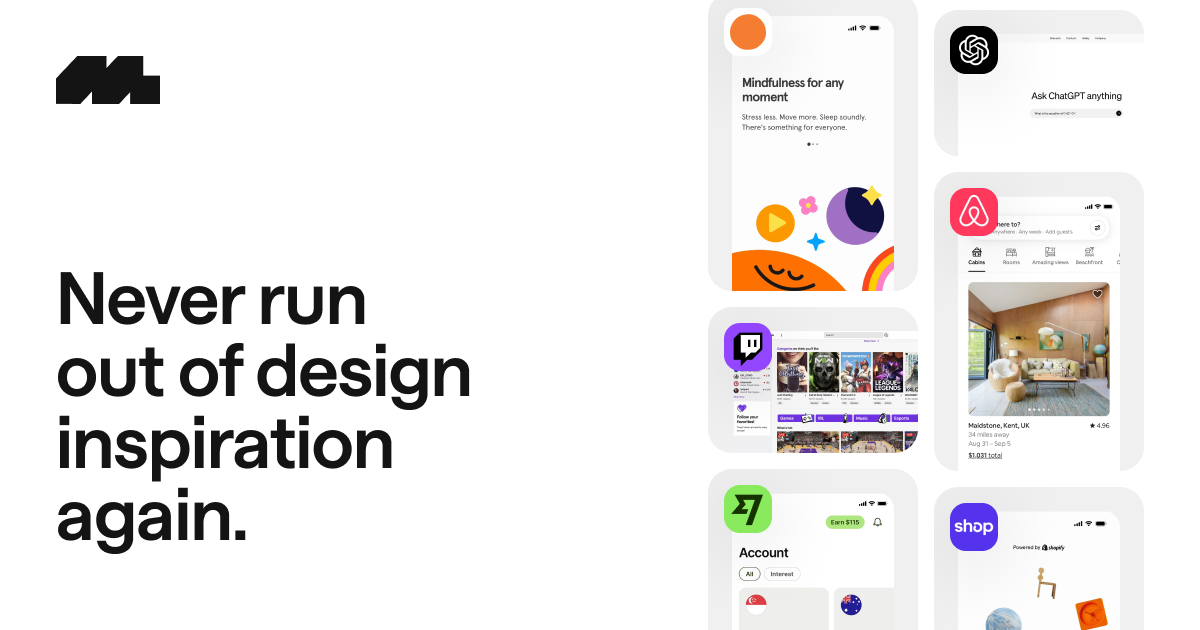
Mobbin describes itself as the place for "real-world design inspiration" for mobile and web apps, featuring over 1,000 iOS and web apps plus 200+ sites, with new content added weekly. The live site states a growing library of 1,428 apps, 621,500+ screens, and 323,900 flows, and lists trusted design teams at companies including Coinbase, Wise, Headspace, Airbnb, Uber, Nike, Pinterest, ChatGPT, Shopify, Loom, Mailchimp, Twitch, Spotify, and Notion.
Key Features
Massive, Searchable Screen Library
Find design patterns in seconds across Screens, UI Elements, Flows, and even Text in Screenshots, organized into categories like Onboarding, Checkout, Subscription & Paywall, Settings, Login, and dozens more.
Full User Journeys with Flows
Rather than isolated screenshots, Mobbin lets you explore entire user journeys as Video (complete with micro-interactions and animations) or Prototype mode, where you click through screens using interactive hotspots at your own pace.
Copy Straight to Figma
A dedicated Figma plugin lets you download designs you like or copy them directly into Figma, speeding up the "inspiration to creation" workflow.
Collections & Comments
Save your favorite designs (and your own uploaded screenshots) into collections, and leave comments to capture context and notes for later reference.
600,000+ Real Screens from Real Apps
Because every screen comes from a shipped, real-world product (not mockups), the patterns you find reflect what's actually working in production for companies like Airbnb, Uber, and Spotify.
Pricing
Mobbin's live pricing page highlights a Pro plan for individuals at $10/month, billed yearly, which includes access to all core apps and sites, the ability to browse flows and see animations, unlimited collections, hidden screen footers, multi-screen downloads, and app history. Signing up itself is free (no credit card required) to search or filter through the 600,000+ screen library at a basic level. Since pricing and plan tiers can change, check Mobbin's live pricing page for the current numbers before subscribing.
What Real Designers Are Saying
Mobbin's site features named testimonials from designers at well-known companies. Haerin Song of Visa says, "By using the Mobbin app, I save both my research time and space in my photo galleries filled with random screenshots... It is a wonderful design tool you cannot live without!" John Bai of Plaid jokes, "All my homies love Mobbin... I finally deleted that folder of 1,866 unorganized screenshots and haven't looked back since." Marco Cornacchia of Figma calls it "one of my favorite resources for product design and ui inspo," and Meng To of DesignCode says it's "a game-changer for designers looking to step up their understanding of UX and UI design patterns."
Pros and Cons
Pros
- Enormous, constantly-updated library — 1,428 apps, 621,500+ screens, 323,900 flows, refreshed weekly
- Trusted and used by design teams at major companies (Coinbase, Wise, Airbnb, Figma, Plaid, and more)
- Full user-journey Flows (not just static screens) in both Video and interactive Prototype modes
- Direct Figma plugin integration for copying designs straight into your workflow
- Free to join and search/filter through the library with no credit card required
- Affordable Pro plan at $10/month (billed yearly) for individuals wanting full access
Cons
- Full core-app access, flows, and unlimited collections require the paid Pro plan
- Yearly billing is required to get the advertised $10/month Pro rate
- As with any inspiration library, it's a research tool, not a design/prototyping tool on its own — pairs best alongside Figma or similar software
FAQ
Is Mobbin free to use?
Yes — you can join for free and search or filter through the 600,000+ screen library, with no credit card required; full access to all core apps, sites, and flows requires a paid plan.
How much does Mobbin Pro cost?
The Pro plan for individuals is listed at $10/month when billed yearly, per Mobbin's live pricing page.
Can I use Mobbin designs directly in Figma?
Yes — Mobbin offers a dedicated Figma plugin that lets you copy designs you like straight into Figma.
What's the difference between Screens and Flows?
Screens are individual UI captures, while Flows let you explore an entire user journey through an app, either as a video with animations or as an interactive, click-through prototype.
Who uses Mobbin?
Mobbin's site lists design teams at companies including Coinbase, Wise, Airbnb, Uber, Nike, Pinterest, ChatGPT, Shopify, Figma, and Plaid among its users.
Final Verdict
Mobbin stands out because of the sheer scale of its real-world screen library (621,500+ screens across 1,428 apps and 323,900 flows), its ability to show full user journeys rather than isolated screenshots, and a direct Figma plugin that turns inspiration into working designs faster. If you're a designer tired of managing a messy folder of random app screenshots, joining for free to search the library is a low-risk way to see whether the $10/month Pro plan is worth it for your workflow.
Explore Mobbin's design inspiration library free →
#Mobbin #UIDesign #UXDesign #DesignInspiration #FigmaPlugin #ProductDesign