Every restaurant menu board, lobby TV, and retail promo screen you've noticed lately is probably running some flavor of digital signage software behind the scenes. I dug into OptiSigns, one of the category's bigger players, to see whether it's actually easy to set up and whether the pricing makes sense once you're running more than a handful of screens.

What Is OptiSigns?
OptiSigns is a digital signage software platform that turns any screen or TV into a dynamic display for customers and employees. According to their site, it's used across 190,000+ online screens, by 30,000+ organizations, in 163 countries, and holds a 4.8/5 rating from 4,000+ Capterra reviews and 4.7/5 from 2,300+ G2 reviews.
Core Features
1. Any Screen, Any Hardware
OptiSigns supports a wide range of platforms and hardware, including their own dedicated OptiSigns devices, so you can choose the hardware that fits your budget and setup instead of being locked into one device type.
2. Easy Content Management
A user-friendly CMS with a drag-and-drop interface, stock images, support for multiple file types, and customizable templates makes updating screens simple without needing design skills.
3. 140+ Apps & Integrations
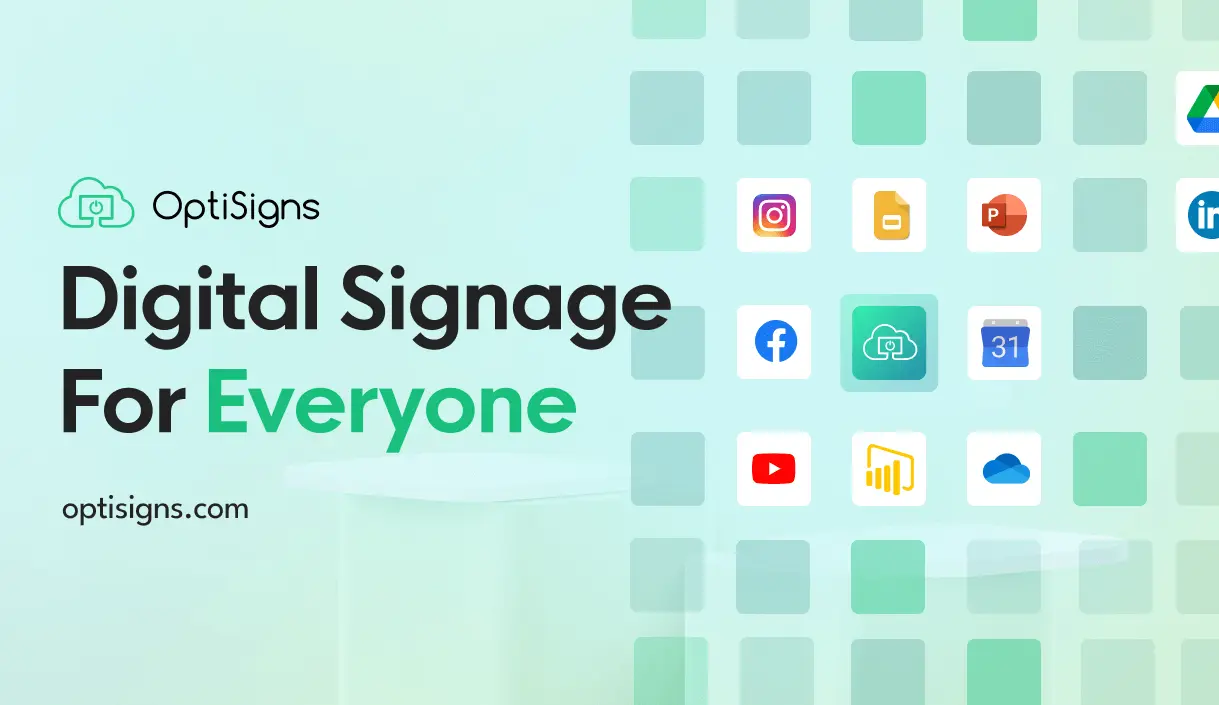
Add dynamic content from weather, Instagram, Power BI, YouTube, Google Slides, and more, or showcase several sources at once with the Split Screen app.
4. Built For Teams
Advanced remote management and user roles let teams collaborate, update content remotely, and control every screen without needing technical expertise.
5. Data Security & Compliance
OptiSigns highlights industry-leading encryption, single sign-on, GDPR compliance, and AICPA SOC 2 Type II certification to protect customer data.
6. 3-Step Setup
Pair your device with the OptiSigns Player app, add content by uploading your own files or using the built-in designer, and assign content to one screen or your entire network — with remote updates anytime.
7. Interactive Add-Ons (Engage Tier)
Higher tiers unlock an Interactive Kiosk Designer, catalogue-to-kiosk conversion, Lift & Learn, a Check-In App, QR scan-to-interact, and live TV ads overlay for more engaging in-store experiences.
Pricing Breakdown (From Their Live Pricing Page)
Prices below are per screen/month, shown as billed annually (with monthly rates in parentheses), plus a free plan and add-ons:
- Free — $0. Up to 3 supported screen types, 25 basic apps, 1GB storage, includes OptiSigns branding on screens, no credit card required.
- Standard — $9.00/screen/month billed annually ($10.00 monthly). Playlists & scheduling, 100+ apps & integrations, ready-to-use templates, Feeds, multi-user support, unlimited cloud storage, split screen zones, and the Designer content creation studio. Email support.
- Pro Plus — $13.50/screen/month billed annually ($15.00 monthly, marked Most Popular). Everything in Standard plus Microsoft 365/Google Workspace integration, dashboard displays (Power BI, Salesforce, Looker), secured website display, Slack/Teams integration, OptiSync data mapping, auto power on/off, remote troubleshooting, team workspaces, approval workflows, custom branding, proof-of-play reporting, campaign management, audit logs, and SAML SSO. Email + phone support.
- Engage — $27.00/screen/month billed annually ($30.00 monthly). Everything in Pro Plus plus the Interactive Kiosk Designer, catalogue-to-kiosk conversion, Lift & Learn, Check-In App, QR scan-to-interact, live TV ads overlay, event-based analytics, and custom data residency. Email, phone, and Zoom support.
- Enterprise — $40.50/screen/month billed annually ($45.00 monthly, minimum 25 screens). Everything in Engage plus a dedicated Customer Success Manager, dedicated onboarding, on-premise/private cloud deployment, priority support, GraphQL API access, PaaS custom builds, and mass device provisioning. Dedicated account manager support.
Optional add-ons include a Video Wall builder ($25/video wall/month), Background Music ($15/screen/month), and Wireless Presentation ($20/screen/month). Check OptiSigns' live pricing page for the current numbers and to start your free trial.
Pros
- Genuine free plan (up to 3 screens, no credit card) for testing before committing to a paid tier
- 14-day free trial on paid plans with no credit card required upfront
- Huge library of 140+ apps and integrations (Power BI, Salesforce, Slack, Teams, YouTube, and more)
- Broad hardware support so you aren't locked into proprietary devices
- Strong security posture: SOC 2 Type II certification, SAML SSO, GDPR compliance
- Large, established user base — 190,000+ screens across 30,000+ organizations in 163 countries
Cons
- Free plan carries visible OptiSigns branding and is capped at 3 screens with only 25 basic apps
- Advanced features (SSO, campaign management, audit logs, dashboards) are locked behind the Pro Plus tier and above
- Enterprise pricing requires a minimum of 25 screens, which may not suit very small deployments
- Interactive kiosk features are only available starting at the Engage tier ($27/screen/month billed annually)
What Users Say
Testimonials featured on OptiSigns' site include Jennifer Tames, HR Manager at Hotel Del Coronado: "Very user friendly, reliable, and cost effective... we are constantly finding more features to use that we can benefit from." Rachel Kuhr, Communications Manager at HOALiving, added: "One of our best and most successful attempts to connect our locations and our employees is by using digital signage through OptiSigns."
Frequently Asked Questions
Is OptiSigns free to use?
Yes — there's a free plan for up to 3 supported screens with 25 basic apps and 1GB storage, no credit card required, though it includes OptiSigns branding on screens.
Is there a free trial on paid plans?
Yes — OptiSigns offers a 14-day free trial with no credit card required.
What hardware does OptiSigns support?
It supports a wide variety of platforms and hardware, including OptiSigns' own devices, giving you flexibility in choosing hardware for your budget.
How many apps and integrations does OptiSigns offer?
OptiSigns lists 140+ apps and integrations, including weather, Instagram, Power BI, YouTube, and Google Slides.
Is OptiSigns secure enough for enterprise use?
Yes — it highlights industry-leading encryption, single sign-on, GDPR compliance, and AICPA SOC 2 Type II certification.
Final Verdict
OptiSigns delivers a genuinely flexible digital signage platform — the hardware-agnostic approach, 140+ integrations, and tiered feature set (from a free plan up through Enterprise) mean it can scale from a single restaurant menu board to a 30,000-organization deployment. The free plan and 14-day trial make it low-risk to test, though teams that need SSO, campaign management, or interactive kiosks will need to budget for Pro Plus or Engage. With 190,000+ screens live and a 4.8/5 Capterra rating, it's a well-proven choice for businesses ready to modernize their screens.
Ready to see it on your own screens? Start your free OptiSigns trial here.
#OptiSigns #DigitalSignage #SignageSoftware #RetailTech #RestaurantTech #SaaS