When I first started streaming, my channel looked like every other beginner’s – a plain webcam box, no alerts, no branding, nothing that made it feel like my show. Setting all that up by hand in OBS felt impossibly fiddly. That’s when I found OWN3D, which basically promises to hand you a professional-looking stream out of the box. Here’s my honest take after using it to level up my own channel.
1. What Is OWN3D?
OWN3D is a one-stop platform for streamers, offering stream designs, tools, and services – overlays, alerts, panels, emotes, and an OBS-ready streaming tool, plus Twitch extensions and tutorials. It bills itself as the #1 place for stream designs and tools for OBS Studio, serving both beginners and pros. There are two sides: a huge shop where you buy individual designs, and a subscription (OWN3D Pro) that unlocks a big library of overlays and alerts with easy one-click setup. It’s made by streamers for streamers, and it works across Twitch, Kick, YouTube, and more.
2. Who Is OWN3D Best For?
✅ New streamers who want to look pro fast
This was me. If you want overlays, alerts, and a cohesive look without learning graphic design or wrestling with OBS for hours, OWN3D gets you there almost instantly.
✅ Streamers who hate technical setup
The easy setup for overlays, alerts, donations, goal bars, and chatbot is the big draw. If the tech side intimidates you, the one-click approach removes that barrier.
✅ Multi-platform creators
Because it’s optimized for Twitch, Kick, and YouTube (and more), it suits creators who stream across platforms and want consistent branding everywhere.
❌ Designers who build their own overlays
If you’re a motion designer who enjoys crafting custom overlays from scratch, you may not need a template library – though even pros use it to save time.
❌ Total hobbyists who never plan to brand
If you stream casually for a couple of friends and don’t care how it looks, a paid design platform is more than you need.
3. Core Features Breakdown
3.1 Overlays, alerts & panels
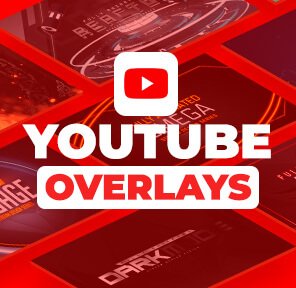
The core offering: a massive catalog – the site cites 900+ overlays & alerts – covering overlays, alerts, panels, and goal bars. This is what instantly transforms a bare stream into a branded, professional-looking broadcast.
3.2 Easy one-click setup & streaming tool
OWN3D provides a streaming tool that makes setting up overlays, alerts, donations, goal bars, and a chatbot genuinely easy. Instead of manually configuring browser sources in OBS, much of it is handled for you – the part I appreciated most.
3.3 Emote maker & subscriber emotes
There’s an Emote Maker plus ready-made subscriber emotes, so you can give your community the custom emotes that make a channel feel like a real brand – without hiring an artist.
3.4 Designs shop, AI credits & multi-platform support
Beyond the subscription, the shop sells bestselling premium designs for Twitch, YouTube, Facebook, and Discord, and the subscription even includes monthly AI credits (50/month mentioned) for AI-assisted design. Everything is optimized for streaming on Twitch, Kick, and YouTube.
4. Pricing
I’ll be honest about what I could verify: OWN3D works on two models – you can buy individual designs from the shop, or take the OWN3D Pro monthly subscription for access to the overlay/alert library and tools. The homepage shows a per-month subscription but didn’t surface a single clear figure I could confirm, and prices localize by region. Rather than quote a number that might be wrong, check the official site through the link below for the current subscription price, individual design prices, and any active deal. There are frequent promotions, so it’s worth looking for a discount.
5. Pros & Cons
Pros: huge library of overlays, alerts, and panels (900+); genuinely easy one-click setup with OBS; emote maker and ready subscriber emotes; works across Twitch, Kick, YouTube and more; both subscription and one-off shop options; made by streamers, with tutorials for beginners.
Cons: the subscription is an ongoing cost rather than one-time; templates mean other streamers may use similar designs; overkill for purely casual streamers; exact pricing isn’t transparent on the homepage and varies by region.
6. OWN3D vs Building Your Own Overlays
You can absolutely design your own overlays in software like Photoshop and wire them into OBS yourself – it’s free if you have the skills and time. OWN3D’s trade-off is speed and ease: professional results in minutes instead of hours, plus alerts and tools handled for you. If you’re a designer who enjoys the craft, DIY wins on uniqueness. If you’d rather spend your time actually streaming, OWN3D is the obvious shortcut.
7. Final Verdict: Is OWN3D Worth It in 2026?
If you’re serious about growing a stream and want it to look the part without becoming a part-time graphic designer, OWN3D is well worth it in 2026. It turned my bare-bones channel into something that looked professional almost immediately, and the easy setup saved me hours of OBS frustration. It’s less essential for casual hobbyists or DIY designers. For most up-and-coming streamers, I’d say it’s a strong value – just check the current price and grab a deal if one’s running.
Frequently Asked Questions
What is OWN3D used for?
OWN3D provides stream designs and tools – overlays, alerts, panels, emotes, and an OBS streaming tool – to help streamers brand and set up their channels easily.
Does OWN3D work with OBS Studio?
Yes – it’s designed around OBS, with easy setup for overlays, alerts, donations, goal bars, and a chatbot, and it’s optimized for Twitch, Kick, and YouTube.
Is OWN3D a subscription or a one-time purchase?
Both options exist: you can buy individual designs in the shop, or take the OWN3D Pro monthly subscription for access to the library and tools.
Can I make custom emotes with OWN3D?
Yes, it includes an Emote Maker plus ready-made subscriber emotes so you can create custom emotes for your community.
How much does OWN3D cost?
Pricing isn’t shown as a single clear figure on the homepage and varies by region, so check the official site through the link below for current subscription and shop prices and any deal.
👉 Where to Get OWN3D
Ready to make your stream look professional? Browse the designs, tools, and any live offer here: Visit the official OWN3D website.
Affiliate disclosure: This article contains an affiliate link. If you sign up or buy through it, I may earn a commission at no extra cost to you. I only recommend tools I find genuinely useful.