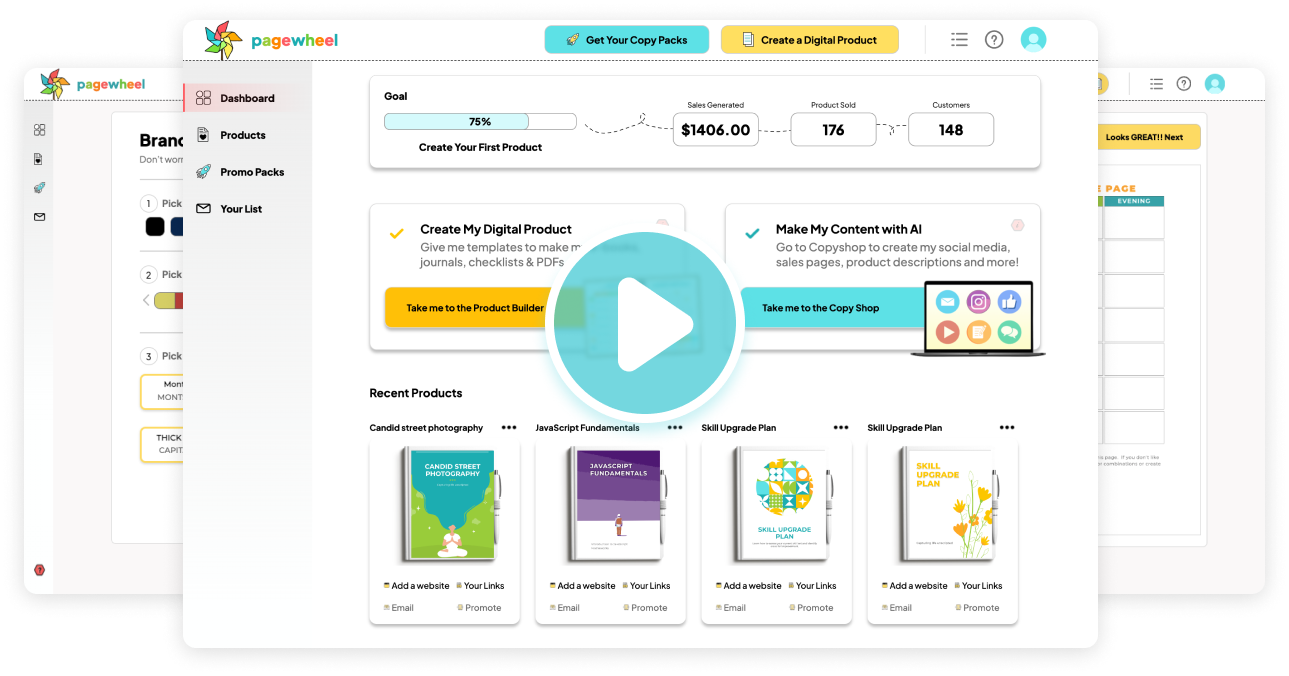
Every creator I know has the same graveyard: half-finished offers, a Canva file from three months ago, and no checkout page to actually sell anything. Pagewheel promises to end that — describe your idea, and it builds the product, sales page, checkout, and emails for you in minutes. Bold claim. I dug in to see if it holds up.
1. What Is Pagewheel?
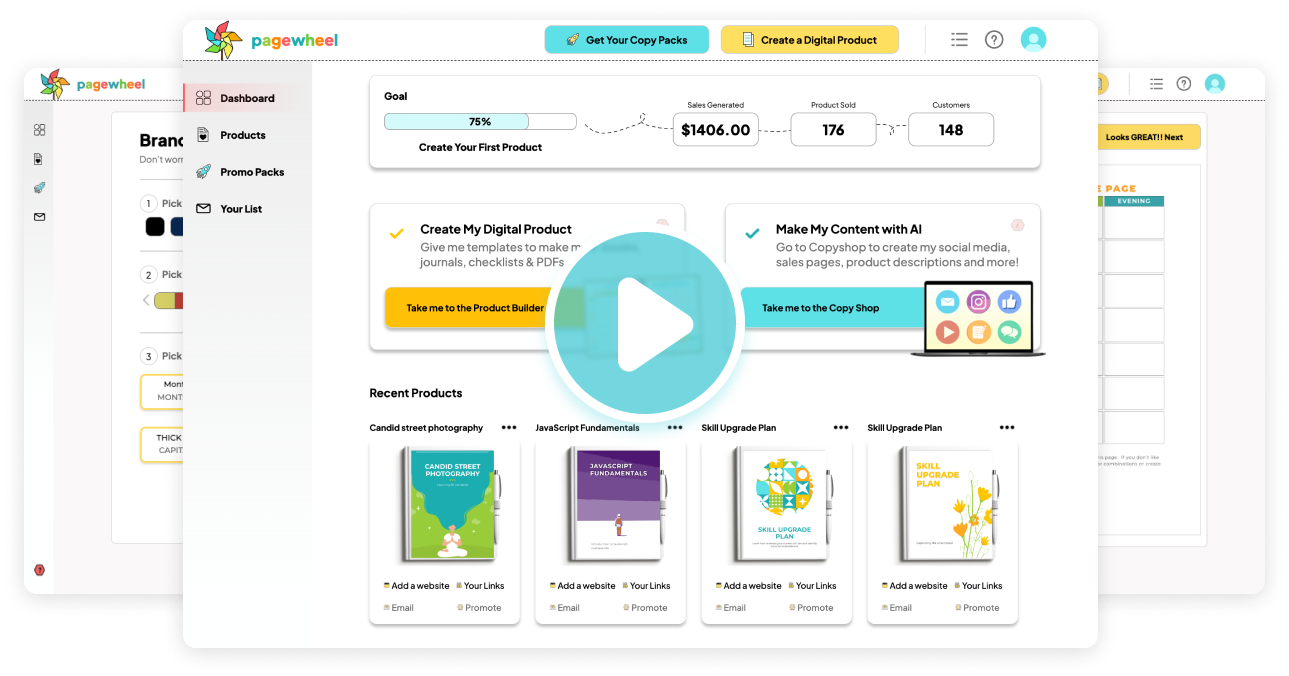
Pagewheel is an AI-assisted instant page and product builder made for creators, coaches, authors, and anyone with a message to sell. You drop in an idea (or your own PDF), and it generates a ready-to-sell digital product or lead magnet, an editable sales/offer page, follow-up emails, and the tech hookups — all connected. It bills itself as a “digital business in a box” with zero tech skills required, and you can start selling for as little as $27.

2. Who Is Pagewheel Best For?
✅ You’ll love it if…
You’re a coach, course creator, blogger, or influencer who has an audience and ideas but keeps stalling on the tech and design. If “weeks of Canva and days of YouTube tutorials” sounds painfully familiar, this is built for you.
❌ It’s probably not for you if…
You need a full course-hosting platform or deep graphic-design control. Pagewheel openly says it’s not a course builder and doesn’t integrate with Canva — it makes PDFs and pages, not full LMS courses.
3. Core Features Breakdown
3.1 AI Product & Lead Magnet Creation
Drop in an idea and Pagewheel produces a ready-to-sell lead magnet or digital product, automatically connected to your landing page. You can also upload your own PDF and have it build everything around it.

3.2 Sales Pages & Checkout in Minutes
It builds editable offer and sales pages with checkout. The company says some users go live in as little as 3 minutes, while the average “technophobe” gets a site edited and live in about 34 minutes — they timed them.

3.3 Templates, Resell Rights & Email/Ad Assets
You get fully editable templates (670+ on the Business plan), commercial resell rights, and auto-generated follow-up emails and ad assets so the whole funnel is handled.

3.4 Stripe & Zapier Integrations
Payments run through Stripe (Pagewheel takes no cut — funds go straight to you), and a Zapier connection forwards leads and sales to your email provider and other tools.
4. Pricing
Two main plans: Starter at $27/month (fully editable templates, create & host ten offer/sales pages, commercial resell rights, hosting) and Business at $47/month (everything in Starter plus the full 670+ template library, unlimited products and pages, and advanced training). Annual billing saves $81 on Starter and $141 on Business, and you can cancel anytime. An enterprise/agency tier with sub-accounts is available on request.
5. Pros & Cons
✅ Builds product + page + checkout + emails fast
✅ Low $27 entry with commercial resell rights
✅ Upload your own PDF or start from an idea
✅ Stripe (no cut) & Zapier integrations
❌ Not a true course/LMS platform
❌ No Canva integration — products are PDFs
❌ Founders note prices may rise in future
6. Pagewheel vs Piecing Together Canva + Funnel Software
The DIY route — Canva for the product, separate funnel software for the page, another tool for email — is cheaper in subscriptions but expensive in time, and it’s exactly what leaves offers half-finished. Pagewheel collapses that whole stack into one AI-assisted flow. If your bottleneck is execution speed rather than design perfection, it’s the faster path from idea to income.
7. Final Verdict: Is Pagewheel Worth It in 2026?
For creators and coaches who keep stalling on tech, yes. At $27/month with resell rights, it pays for itself if you sell just a few products — and the real value is finally shipping the offer that’s been stuck in your drafts. Just know its lane: it’s a fast product-and-page builder, not a full course platform. Within that lane, it’s a genuinely useful shortcut.
Frequently Asked Questions
How much does Pagewheel cost?
Starter is $27/month and Business is $47/month, with annual plans saving $81 and $141 respectively. You can cancel anytime.
Can I upload my own PDF?
Yes — upload your PDF and Pagewheel builds the offer page, follow-up emails, and tech connections around it.
Does it host my pages and process payments?
Yes. It hosts your products and pages, and processes payments via Stripe (it takes no percentage — funds go straight to your account).
Is it a course builder?
Not really — it creates digital products and pages, though some members host short courses on video thank-you pages.
Where to Get It
You can start building with Pagewheel here: Get started with Pagewheel.
Affiliate disclosure: This article contains affiliate links. If you purchase through them, I may earn a small commission at no extra cost to you.