If you’ve ever built a web scraper, you know the real pain isn’t writing the spider — it’s wrestling with proxies, monitoring, and jobs that silently break at 3am. I tested ScrapeOps, a toolbox that promises to handle all of that in one place. Here’s my honest developer-focused review.
1. What Is ScrapeOps?
ScrapeOps is a complete toolbox for web scraping — essentially a DevOps layer for scrapers. It bundles three core jobs developers usually stitch together themselves: a Proxy API Aggregator (and a Residential Proxy Aggregator), job scheduling/deployment for your spiders, and monitoring with alerts. The pitch is that you can scrape any website with reliable proxies, schedule jobs from a dashboard, and watch performance — without building all that plumbing yourself. It offers a free account (the site advertises 1,000 free requests to start).
2. Who Is ScrapeOps Best For?
✅ You should consider it if…
You’re a developer or data team running real scraping workloads who’s tired of managing multiple proxy providers, manually deploying spiders, and finding out about failures too late. It’s especially handy if you use frameworks like Scrapy and want monitoring and scheduling built in.
❌ It may not be for you if…
You only run an occasional one-off script, you’re a non-developer (this is a technical tool), or your use case involves scraping data in ways that violate sites’ terms of service or laws — always scrape responsibly and legally.
3. Core Features Breakdown
3.1 Proxy Aggregator
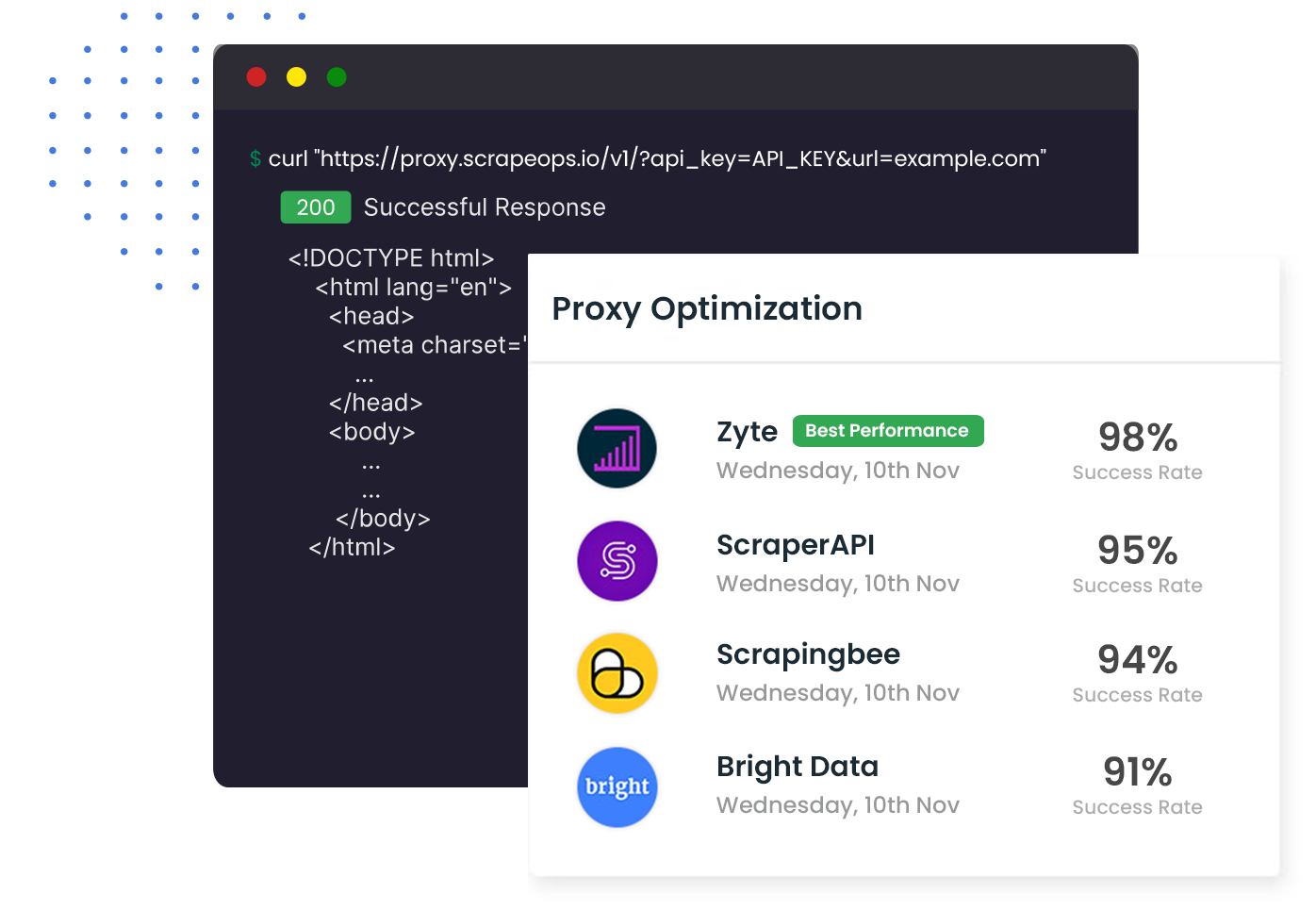
The standout feature is the Proxy API Aggregator, which sits in front of 20+ proxy providers and automatically routes through the best one. Instead of buying and managing several proxy subscriptions, you use one endpoint and let ScrapeOps find what works — a genuine time-saver for anyone fighting blocks and bans.
3.2 Job Scheduling & Deployment
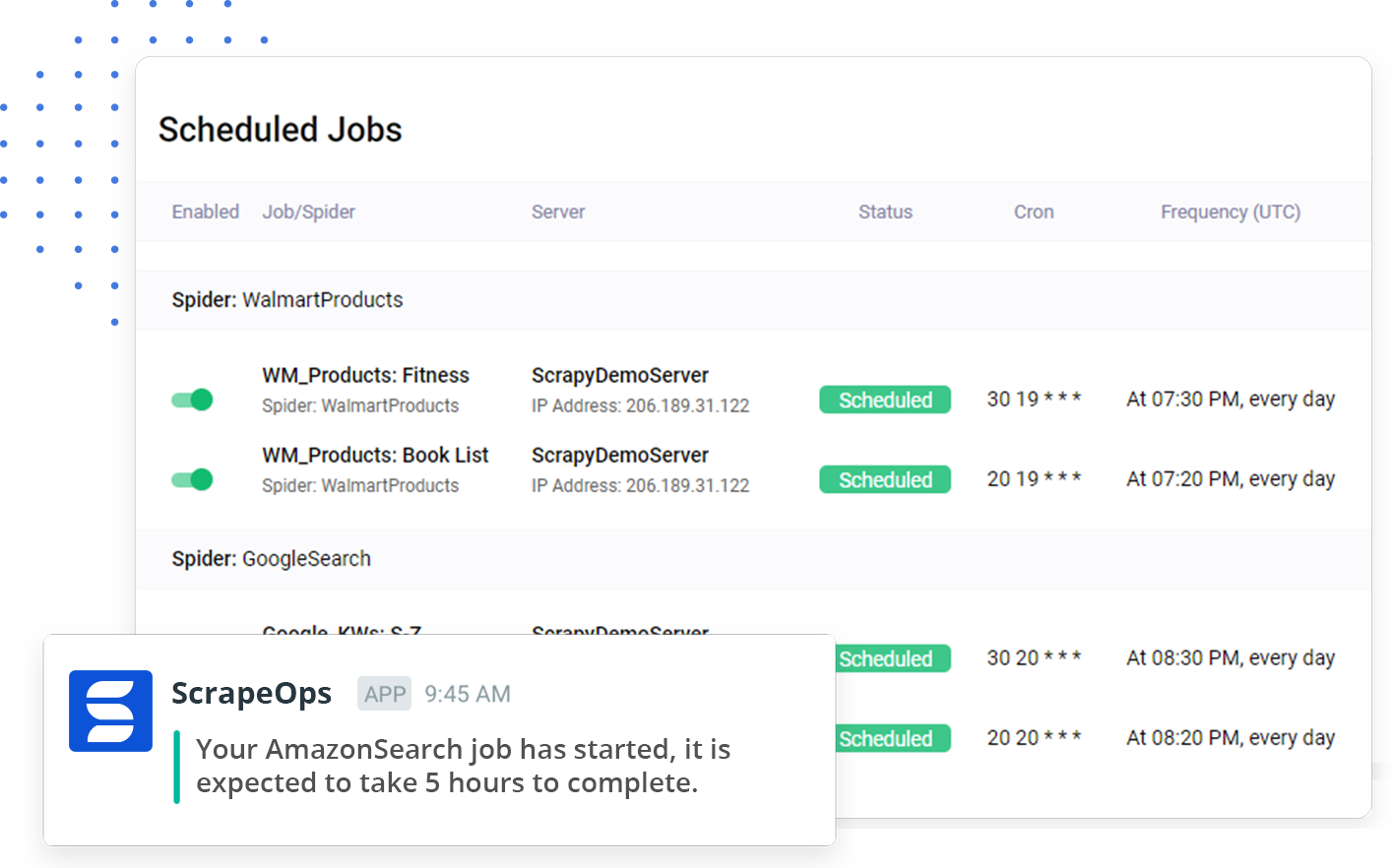
You can connect your server, deploy code from GitHub, and schedule your spiders directly from the ScrapeOps dashboard. This turns ad-hoc scripts into managed, repeatable jobs without you building your own scheduler.
3.3 Monitoring & Alerts
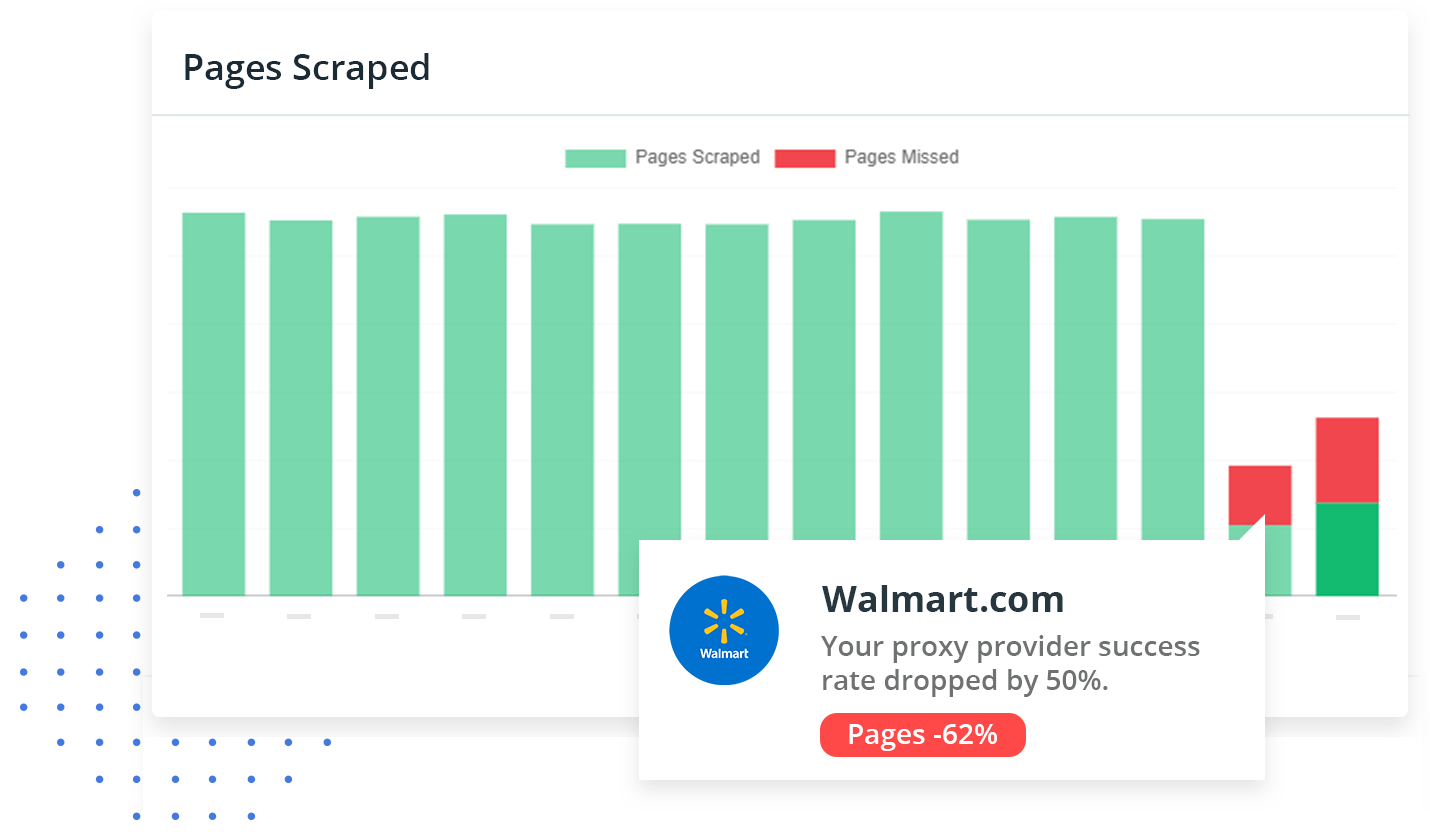
ScrapeOps lets you monitor scrapers in real time, log errors, configure health checks, and get alerts when something breaks. For production scraping, this visibility is the difference between catching a problem early and discovering days of missing data later.
3.4 Docs, Guides & Resources
There’s a solid library of documentation, guides, and proxy-provider comparisons. Even if you don’t use every feature, the educational resources on scraping and proxies are genuinely useful for the community.
4. Pricing
ScrapeOps offers a free account to get started (the site advertises 1,000 free requests), with paid plans scaling by usage. It doesn’t present a single flat price — costs depend on the product (proxy aggregator vs. monitoring) and your request volume, and these can change. I won’t quote a figure that may be outdated; sign up for the free tier to test it, then check the current pricing page for the plan that fits your volume.
5. Pros & Cons
✅ Pros: Consolidates proxies, scheduling, and monitoring into one toolbox; proxy aggregator across 20+ providers saves real time and money; built-in monitoring and alerts for production reliability; free tier to evaluate; strong docs and guides; framework-friendly (e.g., Scrapy).
❌ Cons: Technical tool aimed at developers, not beginners; usage-based pricing can add up at scale; you’re responsible for scraping legally and ethically; value depends on running enough volume to justify a managed platform.
6. ScrapeOps vs DIY Proxy + Monitoring
You can absolutely roll your own: buy proxies from one or two providers, write a scheduler, and bolt on logging. That’s cheaper in raw subscription terms but expensive in engineering time and fragile when a proxy provider degrades. ScrapeOps’ bet is that an aggregator plus built-in monitoring saves more in developer hours and reliability than it costs — usually true once you’re running real, ongoing scraping jobs.
7. Final Verdict: Is ScrapeOps Worth It in 2026?
For developers and teams running serious web scraping, ScrapeOps is a genuinely useful, well-rounded platform. The proxy aggregator alone can save you the headache of juggling providers, and the built-in scheduling and monitoring make production scraping far less stressful. With a free tier to test, it’s easy to recommend trying. Just go in as a developer with realistic volume expectations — and always scrape responsibly and within the law.
Frequently Asked Questions
What does ScrapeOps do?
It’s an all-in-one web-scraping toolbox: a proxy aggregator across 20+ providers, job scheduling/deployment for your spiders, and real-time monitoring with alerts.
Is there a free version?
Yes — you can create a free account, and the site advertises 1,000 free requests to get started before moving to paid, usage-based plans.
How much does ScrapeOps cost?
Pricing is usage-based and varies by product and request volume, so there’s no single flat price. Start with the free tier and check the current pricing page for your needs.
Is ScrapeOps good for beginners?
It’s a technical, developer-focused tool. If you’re comfortable with scraping frameworks and deploying code, it’s approachable; complete non-developers will find it advanced.
Where to Learn More
You can explore ScrapeOps here: Get started with ScrapeOps.
Affiliate disclosure: This post contains an affiliate link. If you sign up through it, I may earn a commission at no extra cost to you. I only recommend developer tools I believe are genuinely useful. Always scrape responsibly and in compliance with applicable laws and site terms.