I have rented more game servers than I care to admit, and most hosts fall into the same trap: slow setup, laggy regions, and a control panel that fights you. Supercraft is the one that made spinning up a server feel genuinely easy. Here is my honest 2026 review.
Disclosure: this post contains an affiliate link. If you sign up through it I may earn a commission at no extra cost to you. I only recommend tools I actually use.
1. What Is Supercraft?
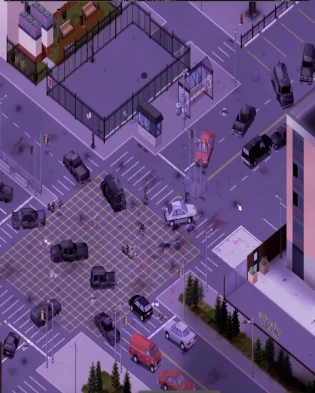
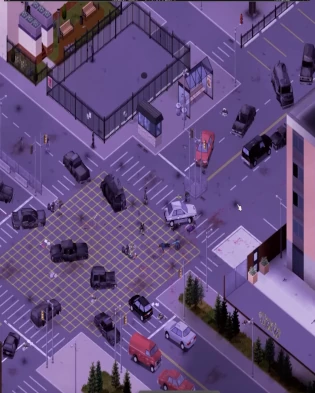
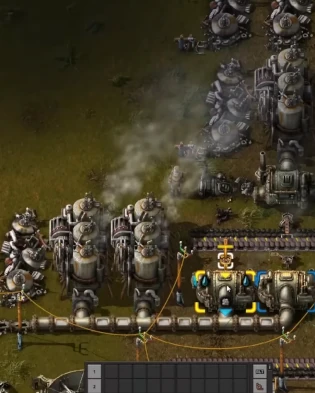
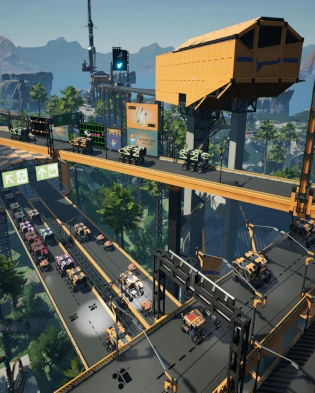
Supercraft is a dedicated game server hosting platform. Established in 2020, it has served over 40,000 customers and holds a 4.3/5 Trustpilot rating from 350+ reviews. You can host survival, sandbox and factory games - Minecraft Java and Bedrock, ARK (Evolved and Ascended), Palworld, Rust, Valheim, 7 Days to Die, Project Zomboid, Factorio, Satisfactory, Enshrouded, Terraria, Necesse, V Rising and many more - with setup in about 2 to 3 minutes.
The standout policy: you can switch across supported games at any time, so one subscription is not locked to a single title.

2. Who Is Supercraft Best For?
✅ Friend groups and communities
If you want a private server for your crew without wrestling with port forwarding, the 3-minute setup is exactly what you want.
✅ Players who jump between games
The switch-games-anytime policy is a real money-saver if your group bounces from Valheim to Palworld to 7 Days to Die.
✅ Modded server hosts
One-click mods from Steam Workshop or Thunderstore plus FTP access make heavy modpacks manageable.
❌ Players who only ever use official servers
If you never host your own world, you do not need this. It is for people who want control and persistence.
3. Core Features Breakdown
3.1 Fast Setup & Low-Ping Global Regions
Servers go live in roughly 2 to 3 minutes across 5 global regions, so you can pick the location closest to your players for low ping. Performance is backed by 99.9% uptime and serious 17 Tbit/s DDoS protection.
3.2 One-Click Mods & Control Panel
The user-friendly control panel includes a live player list, one-click mod installs per game (Steam Workshop or Thunderstore), and full FTP access for manual tweaks. This is where a lot of cheaper hosts fall down, and Supercraft handles it well.
3.3 Automation: Snapshots, Restarts & RCON
Automatic snapshots and scheduled restarts keep your world safe and stable, and you get Discord webhooks plus an in-panel RCON console for admin commands without leaving the dashboard.
3.4 Switch Games Anytime & Support
You can move your plan across supported games whenever you like - ARK plans even unlock the full catalog. Support is hands-on through Discord and email, which the Trustpilot reviews repeatedly call out as responsive.
4. Pricing
Supercraft uses flexible plans that scale with slots and resources, and pricing varies by the specific game and plan size you pick. There is a 2-day refund window and safe payment options, so you can test it with low risk.
Rather than quote a number that could be stale, I will point you to the live configurator on their site - you choose your game and plan and see the current price instantly. The switch-games-anytime policy means the value holds up even if your group changes titles.
5. Pros & Cons
✅ Pros
✅ Genuinely fast 2-3 minute setup
✅ Low ping across 5 global regions with strong DDoS protection
✅ One-click mods (Steam Workshop / Thunderstore) and FTP
✅ Switch across supported games anytime
✅ Automatic snapshots, scheduled restarts and RCON
✅ 2-day refund and responsive Discord support
❌ Cons
❌ Trustpilot sits at 4.3/5, good but not flawless
❌ Pricing depends on game and plan, so you must configure to see it
❌ Best value is realized if you actually use the game-switching
6. Supercraft vs Generic Budget Hosts
Cheap game hosts often win on sticker price but lose on the things that matter mid-session: ping, uptime, mod support and how fast support replies. Supercraft's edge is the combination of quick setup, 5 low-latency regions, serious DDoS protection and the freedom to switch games. If you only need a tiny vanilla server for a weekend, a budget host may do; if you want a reliable, modded, persistent world, Supercraft is the stronger pick.
7. Final Verdict: Is Supercraft Worth It in 2026?
Yes - especially if your group plays more than one game. Setup really was a few minutes, ping was low on the nearest region, and the one-click mods saved me the usual modpack headaches. The ability to switch games on the same plan is the feature that makes it feel like good value over a year. For survival and sandbox communities, it is an easy recommendation.
Frequently Asked Questions
How fast can I get a server running on Supercraft?
Typically 2 to 3 minutes. You pick a game and region, and the server is provisioned almost immediately.
Can I install mods on my Supercraft server?
Yes. There are one-click mod installs per game via Steam Workshop or Thunderstore, plus FTP access for manual changes.
Can I switch my server to a different game?
Yes - you can switch across supported games at any time. ARK plans unlock the full catalog, including each other.
Is there a refund if I do not like it?
Supercraft offers a 2-day refund window and secure payment options, so you can try it with low risk.
Where to Get Supercraft
You can spin up your server here: Try Supercraft.
Affiliate disclosure: the link above is an affiliate link. If you purchase through it, I may earn a commission at no additional cost to you.