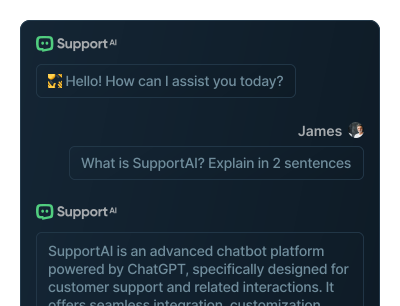
I’ve tested a lot of website chatbots, and most either sound robotic or take a weekend to set up. I wanted to see whether Support AI — a ChatGPT-powered chatbot builder trained on your own content — could actually deflect support tickets without the usual headache. Here’s my honest hands-on review.
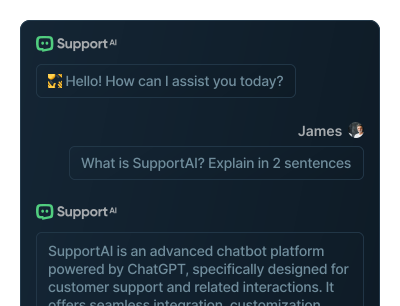
1. What Is Support AI?
Support AI is a no-code platform for building custom AI chatbots for your website, powered by ChatGPT. You feed it your content — website pages, files, product data or even videos — and it creates a chatbot that answers customer questions instantly and captures leads. The company claims it can resolve up to 80% of customer questions automatically.
2. Who Is Support AI Best For?
✅ Small businesses wanting 24/7 support without staff
If you can’t staff live chat around the clock, a bot trained on your FAQs and docs handles the repetitive questions while you sleep.
✅ Site owners who want setup in minutes, not weeks
The pitch is fast integration — point it at your content, embed a snippet, done. In my testing the setup really was quick.
✅ Teams focused on lead capture
Beyond answering questions, it collects leads inside the chat, so support doubles as a top-of-funnel tool.
❌ Businesses needing deep human-agent workflows
If you rely on complex ticket routing, SLAs and a full helpdesk with human agents, a dedicated platform will serve you better.
❌ Anyone expecting perfect, hallucination-free answers
Like any LLM bot, quality depends on your training content. Thin or messy docs produce weaker answers, so curate before you launch.
3. Core Features Breakdown
3.1 Train on Multiple Data Sources
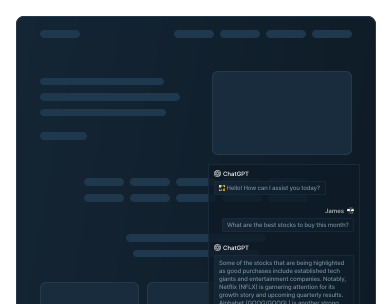
You can train the bot on website content, uploaded files, product catalogs and videos, so answers reflect your actual business rather than generic knowledge.
3.2 Fast, No-Code Integration
Embed the chatbot on unlimited websites in minutes. There’s API access too if you want to go deeper.
3.3 Customization & Response Control
The bot is fully customizable in look and behavior, and you can control its responses to keep it on-brand and on-message.
3.4 Lead Capture & Branding Removal
Collect leads directly in chat, and on paid plans remove Support AI branding for a clean, white-labeled experience.
4. Pricing
Support AI has a genuine Free plan at $0/mo (20 messages/month, 1 chatbot, 10 pieces of training content, lead capture, unlimited website integration and API access). The Pro plan runs $49/mo and includes 5,000 messages/month, 10 chatbots, 500 training pieces and branding removal. Higher-volume tiers scale message allowances up to 10,000 / 25,000 / 50,000 / 100,000 messages per month. Choosing annual billing gives you roughly 4 months free. Confirm the latest numbers on their pricing page before subscribing.
5. Pros & Cons
Pros: Real free tier to test; quick no-code setup; trains on multiple data sources including videos; unlimited website integration; API access even on free; lead capture built in; generous annual discount.
Cons: Free tier’s 20 messages is tiny; answer quality depends on your training content; not a full human-agent helpdesk; message-based pricing means high-traffic sites climb tiers quickly.
6. Support AI vs Intercom Fin
Intercom’s Fin is powerful but sits inside Intercom’s broader (and pricier) ecosystem, billed partly per resolution. Support AI is lighter, cheaper and faster to stand up for a simple website Q&A bot with lead capture. If you already live in Intercom, Fin is convenient; if you just want an affordable ChatGPT bot on your site, Support AI is the leaner choice.
7. Final Verdict: Is Support AI Worth It in 2026?
For small and mid-sized sites that want to deflect repetitive questions and capture leads without hiring, Support AI hits a sweet spot of speed and price. The free plan lets you validate the concept, and $49/mo for 5,000 messages is reasonable. Just invest time in clean training content — that’s what separates a helpful bot from a frustrating one.
Frequently Asked Questions
Is Support AI free to use?
Yes, there’s a free plan at $0/mo with 20 messages per month, one chatbot and API access — enough to test it.
What can I train the chatbot on?
Your website content, uploaded files, product data and videos, so responses reflect your own business.
How much does the Pro plan cost?
Pro is $49/mo with 5,000 messages, 10 chatbots and branding removal. Higher tiers scale up to 100,000 messages/month.
Can I remove the Support AI branding?
Yes, branding removal is included on paid plans for a white-labeled chat widget.
Does it work on multiple websites?
Yes — even the free plan allows unlimited website integration.
👉 Where to Get Support AI
You can start free here: Try Support AI for your website.
Affiliate disclosure: this post contains an affiliate link. If you sign up through it, I may earn a commission at no extra cost to you. All opinions are my own based on hands-on testing.