Every trader I respect keeps a journal, and yet I avoided it for years because logging trades by hand was tedious. TraderSync removed that excuse: it syncs my trades automatically and shows me, in plain numbers, where I actually make and lose money. Here is my honest 2026 review.
Disclosure: this post contains an affiliate link. If you sign up through it I may earn a commission at no extra cost to you. I only recommend tools I actually use.
Important: I am not a financial advisor and this is not financial or investment advice. Trading stocks, options, futures, forex and crypto carries a real risk of loss. A journaling tool can help you analyze your own decisions, but it cannot guarantee profits. Trade only with money you can afford to lose.
1. What Is TraderSync?
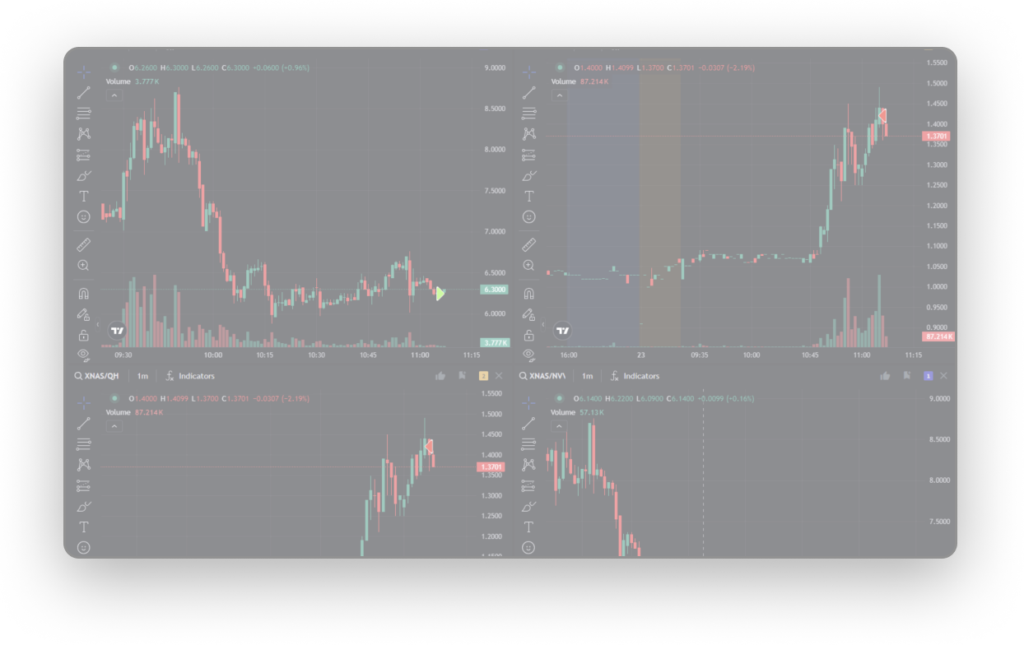
TraderSync is an AI-powered trading journal for stocks, options, futures, forex and crypto. You connect your broker (or import trades), and it automatically logs and analyzes them - surfacing patterns, statistics and AI-driven insights about your performance. It also includes a backtester and market replay simulator so you can practice strategies without risking capital.
2. Who Is TraderSync Best For?
✅ Active traders who want to improve
If you place enough trades that patterns matter, a journal that auto-analyzes them is the fastest way to spot what is working.
✅ Multi-asset traders
It covers stocks, options, futures, forex and crypto in one place, which is handy if you trade across markets.
✅ Data-driven, systematic traders
People who want to trade a process, not emotion, get the most from the analytics and backtesting.
❌ Pure buy-and-hold investors
If you rarely trade and just hold long-term, a detailed trading journal is overkill.
3. Core Features Breakdown
3.1 Automatic Trade Sync & Journaling
Connect your broker and TraderSync imports your trades automatically, so your journal stays current without manual entry. This alone is why I finally stuck with journaling.

3.2 Advanced Analytics
You can slice performance by time of day, asset type, setup, market conditions and more, with customizable reports. The goal is to reveal your real edge - and your real leaks - rather than guess at them.
3.3 AI Coach (Cypher) & AI Insights
TraderSync's AI engine reviews your trades and highlights patterns and tendencies, framed as coaching. Treat these as analytical prompts about your own history, not as buy or sell signals or advice.

3.4 Backtester & Market Replay Simulator
An integrated backtester and realistic simulator let you practice and test strategies on historical data before risking real money - a genuinely useful way to refine a plan.

4. Pricing
TraderSync offers a free trial and several paid subscription tiers that scale with features like the number of trades, AI insights, backtesting depth and broker integrations, billed monthly or annually (annual is cheaper per month).
Rather than quote a figure that may be out of date, I will point you to the live pricing on their site. The sensible approach: start the free trial, import real trades, and only pay for the tier whose analytics you will actually use.
5. Pros & Cons
✅ Pros
✅ Automatic broker sync - no manual logging
✅ Deep, customizable analytics across many dimensions
✅ AI insights that surface your own patterns
✅ Built-in backtester and market replay simulator
✅ Supports stocks, options, futures, forex and crypto
✅ Free trial to test it first
❌ Cons
❌ Most value comes from higher paid tiers
❌ A journal improves analysis, not guaranteed results
❌ Broker sync support varies by broker
❌ Can feel data-heavy for very casual traders
6. TraderSync vs Edgewonk / TraderVue
Edgewonk is a well-loved one-time-purchase journal with strong manual analytics; TraderVue is another popular cloud journal. TraderSync's differentiators are broad automatic broker sync, multi-asset coverage and the AI insights plus integrated backtester. If you prefer a one-time fee and manual control, Edgewonk appeals; if you want automation and AI-assisted analysis across assets, TraderSync leads. None of them, to be clear, can promise profits.
7. Final Verdict: Is TraderSync Worth It in 2026?
For active traders who genuinely want to improve, yes. The automatic sync removed the friction that kept me from journaling, and the analytics showed me leaks I would never have spotted by feel. Just keep expectations grounded: it is a tool for analyzing your own decisions, not a money machine, and trading always carries risk. I would run the free trial on your real trades and let the data decide. As an honest assessment, it earns its place in a serious trader's toolkit.
Frequently Asked Questions
Will TraderSync make me a profitable trader?
No tool can guarantee that. TraderSync helps you analyze your own trades to spot patterns and mistakes, but profitability depends on your strategy, discipline and market conditions. Trading carries risk of loss.
Which markets does TraderSync support?
Stocks, options, futures, forex and crypto, all within one journal.
Does TraderSync sync with my broker automatically?
Yes, it supports automatic trade import from many brokers, though available integrations vary by broker. Manual import is also possible.
Is there a free trial?
Yes. You can start a free trial, then choose a paid tier based on the features you need. Check current pricing on their site.
Where to Get TraderSync
You can start a free trial here: Try TraderSync.
Affiliate disclosure: the link above is an affiliate link. If you purchase through it, I may earn a commission at no additional cost to you. This article is for information only and is not financial, investment or trading advice; trading involves substantial risk of loss.



