I’ve kept a trading journal in spreadsheets for years, and it was always the same story: I’d log trades for a week, get lazy, and lose the thread on what was actually working. When I started testing TraderSync, the promise that hooked me was simple – auto-sync my trades from my broker, then let the analytics (and AI) tell me where my edge actually is. Here’s my honest take after running my own trades through it.

1. What Is TraderSync?
TraderSync is a trading journal and analytics platform for stocks, forex, futures, crypto, and options. Instead of manually typing every fill into a spreadsheet, you connect your broker and it syncs your trades automatically. From there it breaks down your performance, surfaces patterns in your wins and losses, and – with its AI strategist Cypher – tries to point you toward a more consistent, winning strategy. It also bundles a market simulator/backtester so you can practice and test ideas without risking real money. The tagline says it plainly: “the trading journal that tells you how to win.”
2. Who Is TraderSync Best For?
✅ Active traders who want a real edge analysis
If you take enough trades that patterns matter – setups, time of day, position sizing – TraderSync’s analytics are where it shines. Seeing which setups actually make money was eye-opening for me.
✅ Multi-asset and multi-broker traders
Because it covers stocks, forex, futures, crypto, and options and connects to many brokers, it’s a fit if your trading is spread across markets and you want one journal for all of it.
✅ Traders who want to backtest before going live
The integrated market simulator lets you practice and stress-test strategies. The site pitches it as gaining “a year’s worth of experience in an hour” – useful if you’d rather learn on replay than on real capital.
❌ Pure buy-and-hold investors
If you make a handful of long-term trades a year, the deep journaling and analytics are overkill. This is built for people who trade actively.
❌ Anyone wanting a get-rich-quick signal service
TraderSync is a journal and analysis tool, not a tip service. It tells you about your trades – it won’t hand you trades to copy.

3. Core Features Breakdown
3.1 Automatic trade sync & journaling
Connect your broker and trades flow in automatically across stocks, options, futures, forex, and crypto. This is the feature that actually keeps a journal alive – no more abandoning it because manual entry is tedious.
3.2 Performance analytics to find your edge
This is the core value. TraderSync slices your history to show which setups, sizes, and conditions make or lose money, so you can double down on what works and cut what doesn’t. The whole pitch is “uncover your trading edge and build a winning strategy.”
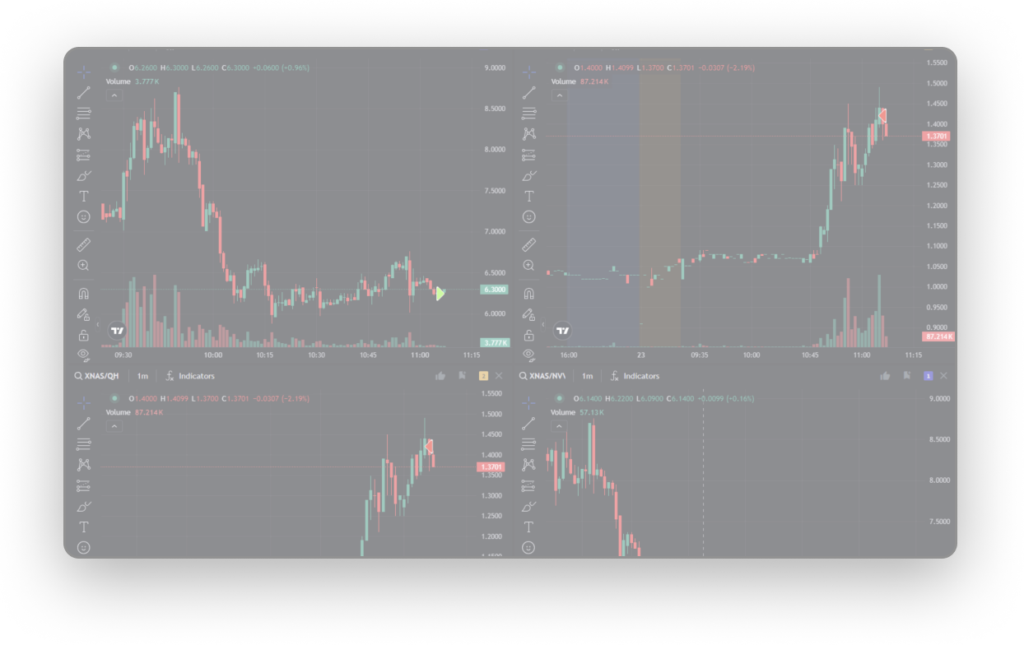
3.3 Cypher AI trading strategist
Cypher is the AI layer that reviews your trading and offers insights – positioned as an “AI-driven trading strategist” and performance assistant. It’s meant to translate your raw stats into plain guidance on what to adjust.
3.4 Market simulator & backtester
A realistic market replay lets you backtest across multiple asset classes and rehearse strategies without risking capital. Combined with risk-management tools, it’s built to help you practice discipline before live trading.

4. Pricing
I’ll be straight with you: TraderSync’s homepage didn’t show me a clean, verifiable list of plan prices, and pricing for tools like this changes and can vary by billing term. Rather than quote a number I can’t confirm, I’d point you to the official site through the link below to see the current tiers, what each plan includes, and any free trial or active deal. Tools in this category typically offer monthly and discounted annual options – check directly so you get today’s real price.
5. Pros & Cons
Pros: automatic broker sync keeps the journal actually maintained; genuinely deep analytics that surface your edge; covers five major asset classes in one place; built-in backtester/simulator to practice safely; AI assistant turns stats into guidance.
Cons: overkill for passive long-term investors; the depth has a learning curve at first; transparent pricing isn’t front-and-center on the homepage; the AI insights are a helper, not a substitute for your own judgment.
6. TraderSync vs Tradervue
Tradervue is the long-standing name in trade journaling and is excellent for straightforward logging and community sharing. TraderSync leans harder into automated analytics, multi-asset coverage, the AI strategist, and the integrated simulator. If you want a clean, classic journal, Tradervue is great. If you want the software to actively analyze your edge and let you backtest, TraderSync is doing more of that heavy lifting.
7. Final Verdict: Is TraderSync Worth It in 2026?
If you trade actively and you’re serious about improving, TraderSync earns its keep – the automated sync removes the friction that kills most journals, and the analytics genuinely show you where your money is made and lost. It’s less relevant for passive investors or anyone hoping for copy-trade signals. For disciplined active traders in 2026, I think it’s well worth a trial. Just confirm the current pricing on the official site first.
Important: Trading stocks, forex, futures, options, and crypto carries substantial risk of loss and isn’t suitable for everyone. TraderSync is an analytics and journaling tool, not financial advice. Nothing here is a recommendation to trade any instrument – do your own research and consider speaking with a licensed financial professional before risking capital.
Frequently Asked Questions
What assets does TraderSync support?
It works as a trading journal for stocks, forex, futures, options, and crypto, so you can track multiple markets in one place.
Does TraderSync sync with my broker automatically?
Yes – you connect your broker and trades import automatically, which is what keeps the journal consistently up to date.
What is Cypher in TraderSync?
Cypher is TraderSync’s AI-driven trading strategist that reviews your trading data and provides insights to help you refine your strategy.
Can I backtest strategies in TraderSync?
Yes, it includes a realistic market simulator/backtester so you can practice and test ideas across asset classes without risking real money.
How much does TraderSync cost?
The homepage doesn’t show transparent plan pricing and rates can vary by billing term, so check the official site through the link below for current plans and any active deal.
👉 Where to Get TraderSync
Ready to turn your trade history into a real edge? Check current plans, free trial, and any live offer here: Visit the official TraderSync website.
Affiliate disclosure: This article contains an affiliate link. If you sign up through it, I may earn a commission at no extra cost to you. I only recommend tools I find genuinely useful.



