"I cancelled my Grammarly subscription" is the kind of testimonial that gets attention, so I went straight to editGPT to see if it actually earns comparisons to Grammarly and ChatGPT combined. Here's what I found on the live site, features and pricing included.
What Is editGPT?
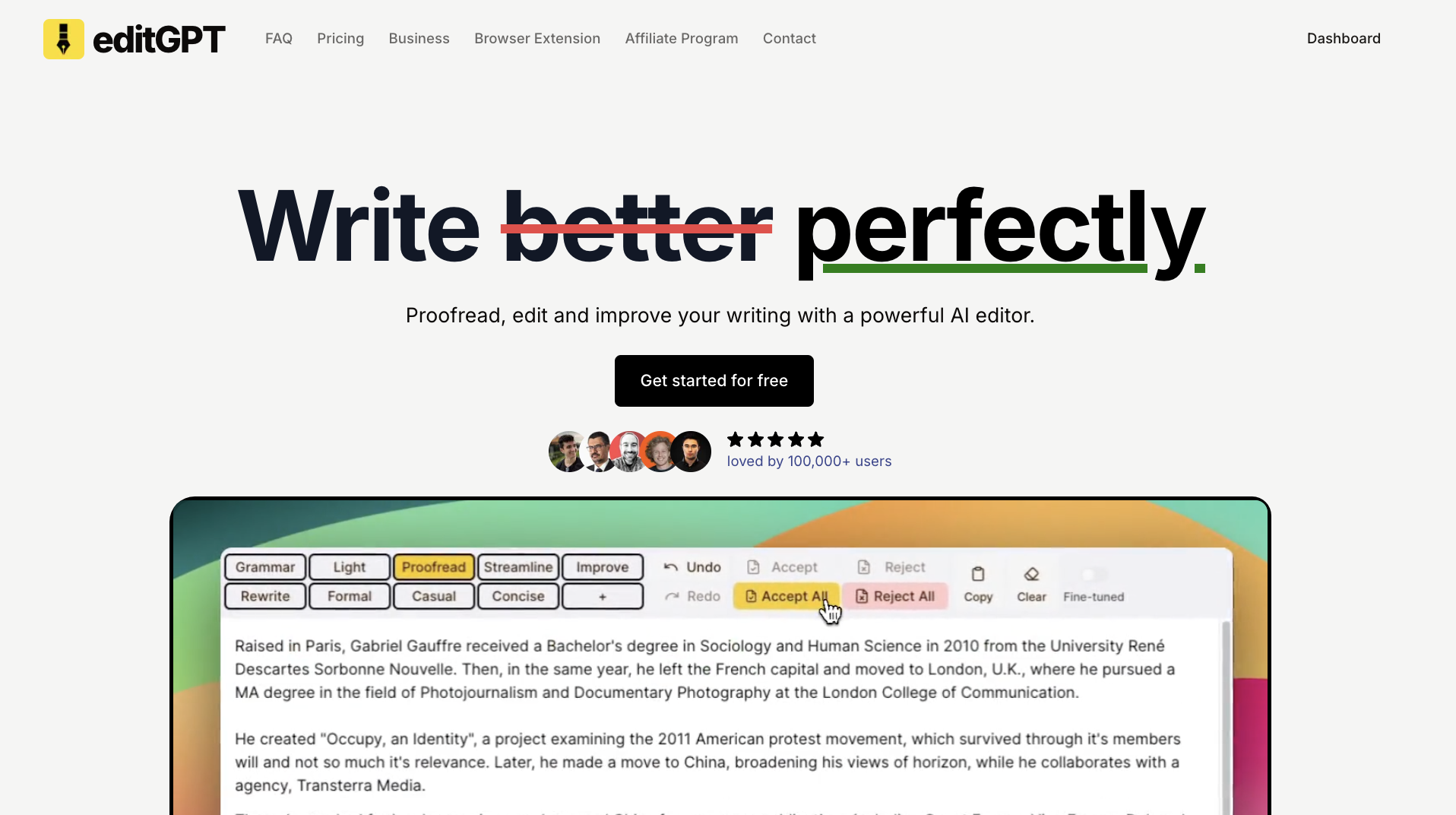
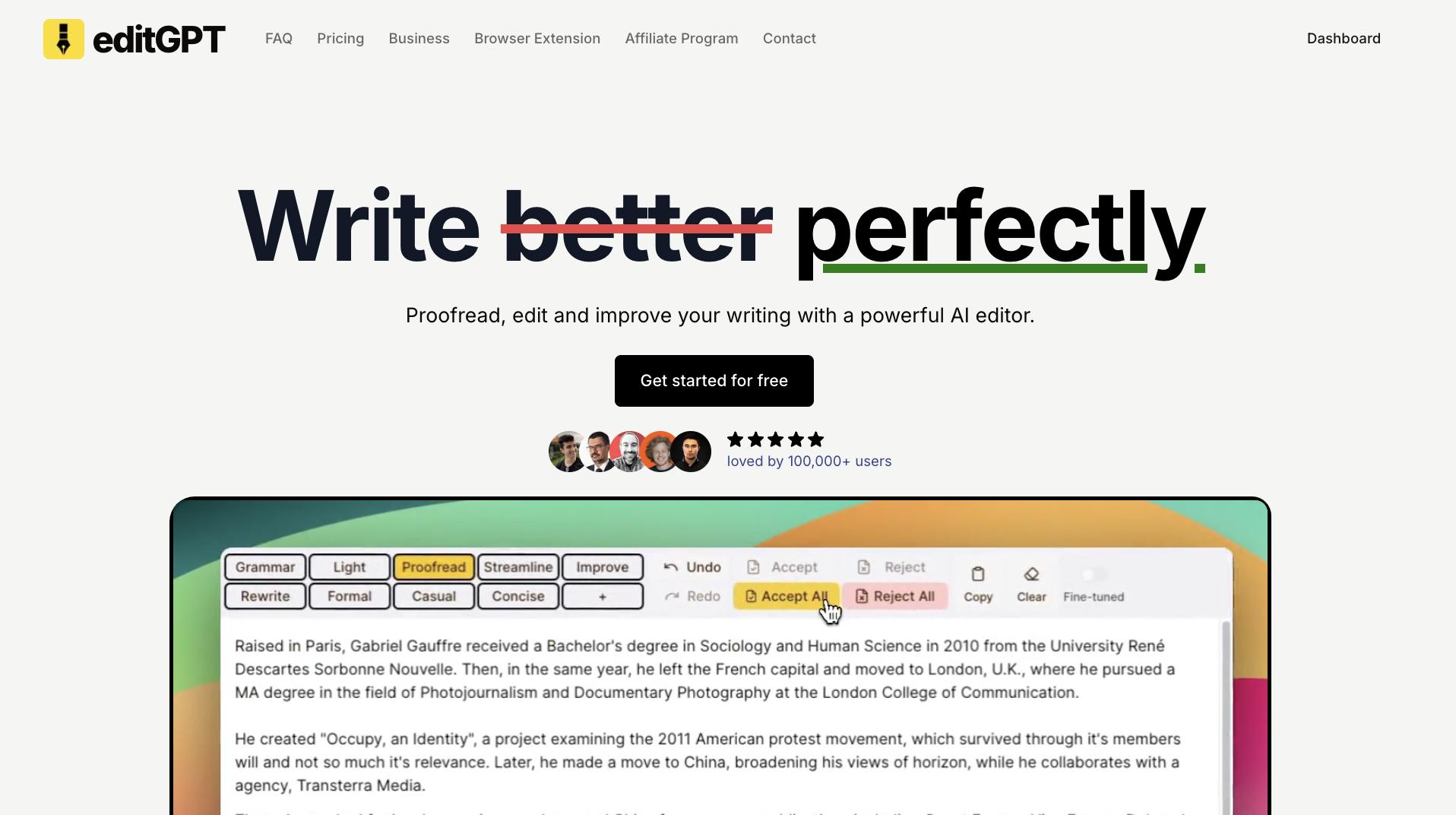
editGPT's pitch is simple: "Proofread, edit and improve your writing with a powerful AI editor." It's positioned directly as an alternative to Grammarly, but built on top of ChatGPT-style AI editing with a track-changes interface. At the time of my review, the site displayed live usage stats of 252.6K active users, 15.4M edits generated, and 5.1K prompts created, with the homepage claiming it's "loved by 200,000+ users."
Key Features I Noticed
Adjustable Editing Depth
Instead of one generic "improve my writing" button, editGPT lets you choose exactly how aggressive the edit should be: Fix Grammar (~5% of text changed), Proofread (~10%), Natural (~15%), Improve (~30%), or full Rewrite (~40%). That range is genuinely useful when you want a light grammar pass versus a heavier stylistic rewrite.
Track Changes Interface
editGPT shows suggested edits in a track-changes style view, so you can accept or reject each change individually rather than having your text silently rewritten.
Docx Import/Export With Track Changes
You can import a Microsoft Word document, edit it with AI, and export it back to .docx while preserving track changes and formatting (bold, italics, etc.) — something most browser-based AI writing tools don't handle well.
Multilingual Editing
editGPT supports editing in over 80 languages, with automatic language detection so you don't have to manually set it each time.
Privacy First
The site explicitly states your data stays private and is never used for AI training — a direct contrast it draws against tools that train on user content.
Comparison Table vs. Grammarly and ChatGPT
editGPT's own site lays out a feature comparison: it claims custom editing prompts, a track-changes interface, one-click formatting, full tone & style adjustments (versus Grammarly's "Limited"), multilingual support, and no-AI-training data privacy — all features it says Grammarly and/or plain ChatGPT lack or only partially offer.
editGPT Pricing (What I Actually Saw)
Pricing is billed monthly or annually (annual saves up to 40%), across three tiers, with a "PROMO50" discount code applied automatically to the two paid plans at the time of my visit:
- Pro — $5/month ($60.00 billed annually): 500,000 words/month, 200,000 words per document, Docx Express, suggestions panel, saved custom prompts, Word document import/export, revision history, and data safety/privacy.
- Elite — $12/month ($144.00 billed annually): 3,000,000 words/month, 200,000 words per document, plus everything in Pro (Docx Express, suggestions panel, saved prompts, Word import/export, revision history, data privacy).
- Business — $60/month ($720.00 billed annually): Unlimited words/month, unlimited requests, 4 team seats included, a team management dashboard, plus all Pro & Elite features.
editGPT states prices will never increase for existing customers, and you can cancel anytime.
Pros and Cons
Pros
- Adjustable edit depth (5% to 40% rewrite) gives far more control than a single "fix my writing" button
- Genuine Word document round-trip with track changes preserved — useful for professional and academic editing workflows
- Support for 80+ languages with automatic detection
- Explicit no-AI-training data privacy policy
- Price-lock guarantee for existing customers, plus cancel-anytime billing
- Business plan's unlimited words and 4 included seats make it reasonably priced for small teams
Cons
- The lowest paid tier's price included a "PROMO50" discount code applied automatically, so the regular non-promotional price may be higher — worth confirming at checkout
- Free tier appears limited to getting started rather than full ongoing use; heavier users will need to move to Pro or Elite quickly
- Business tier's per-seat value depends on your team size — smaller teams may find Elite more cost-effective per user
Who Is editGPT For?
editGPT is aimed at writers, students, professionals, and teams who want more control over AI-assisted editing than a single Grammarly-style suggestion engine offers — particularly anyone who regularly works in Word documents and needs track changes preserved through the AI editing process, or anyone editing content in a non-English language.
FAQ
Is editGPT better than Grammarly?
According to editGPT's own comparison table, it offers custom editing prompts, a track-changes interface, one-click formatting, full tone/style adjustments, multilingual support, and a no-AI-training data policy — features it positions as advantages over Grammarly.
Can I edit documents in other languages?
Yes — editGPT supports editing in over 80 languages, either by manually selecting the language or letting it auto-detect.
Does editGPT use my data to train its AI?
No — the site states your data stays private and is never shared or used for training.
Can I cancel my subscription anytime?
Yes, editGPT allows cancellation at any time, and states that prices will never increase for existing customers.
Can I import and export Word documents?
Yes — you can import a .docx file, edit it with AI assistance, and export it back to Word format with track changes intact.
Final Verdict
editGPT positions itself as a more customizable, privacy-conscious alternative to Grammarly, and the feature set backs that up: adjustable edit intensity, genuine track-changes Word document support, 80+ language editing, and a clear no-AI-training privacy stance. At $5/month for the Pro plan (500,000 words/month), it's a reasonable entry point for regular writers, while Elite and Business scale up for heavier or team use. If you've outgrown Grammarly's suggestion style or need real Word document round-tripping, editGPT is worth trying.
Get started with editGPT for free and try the AI editor yourself →
#editGPT #AIWritingEditor #GrammarlyAlternative #AIProofreading #WritingTools #TrackChanges