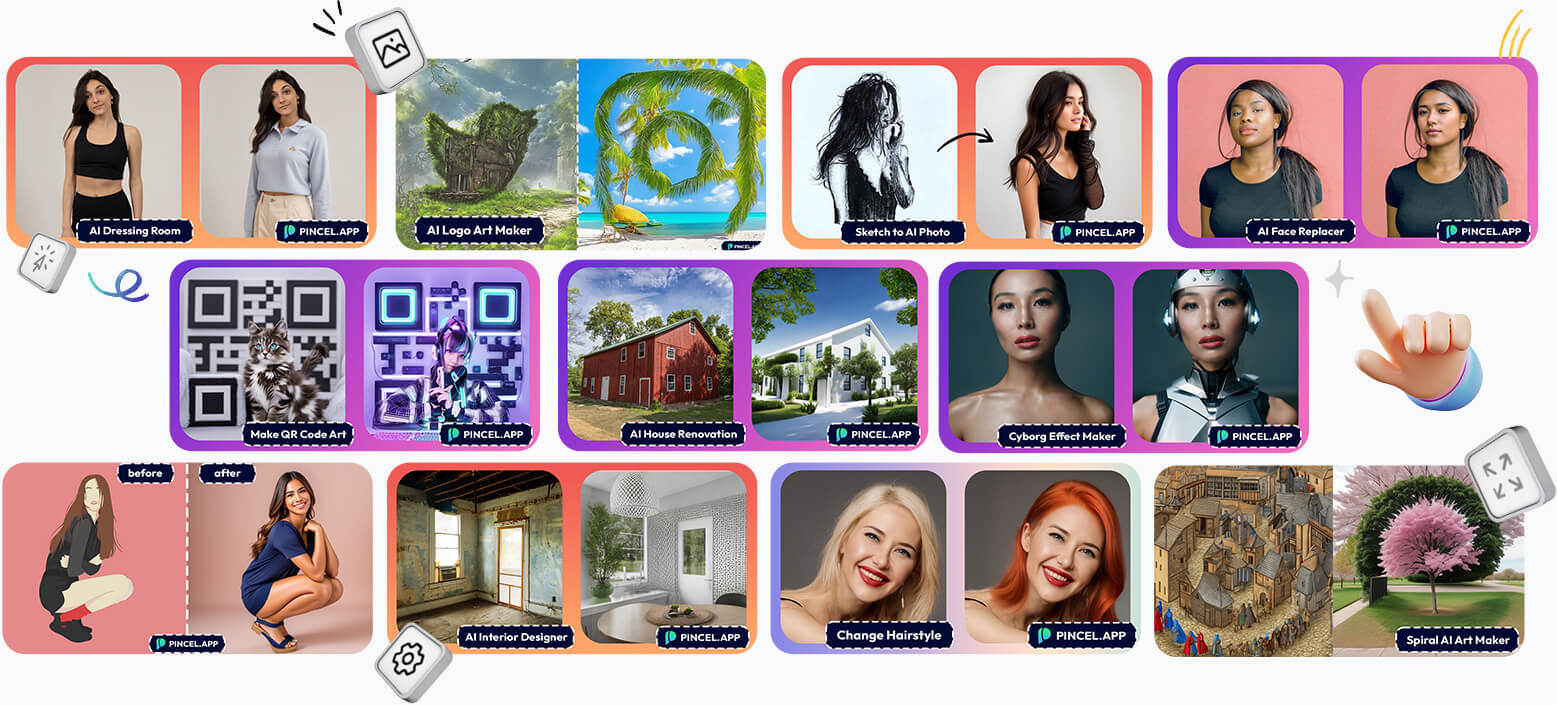
Trusted by 1.5M+ creators and built around a "brand-safe by design" content policy, Pincel positions itself as a production tool for people who ship commercial visuals for a living, not just another AI playground — so I went straight to the source to see what it actually offers. Here's my honest breakdown of the features, real pricing, and who it's built for.
What Is Pincel?
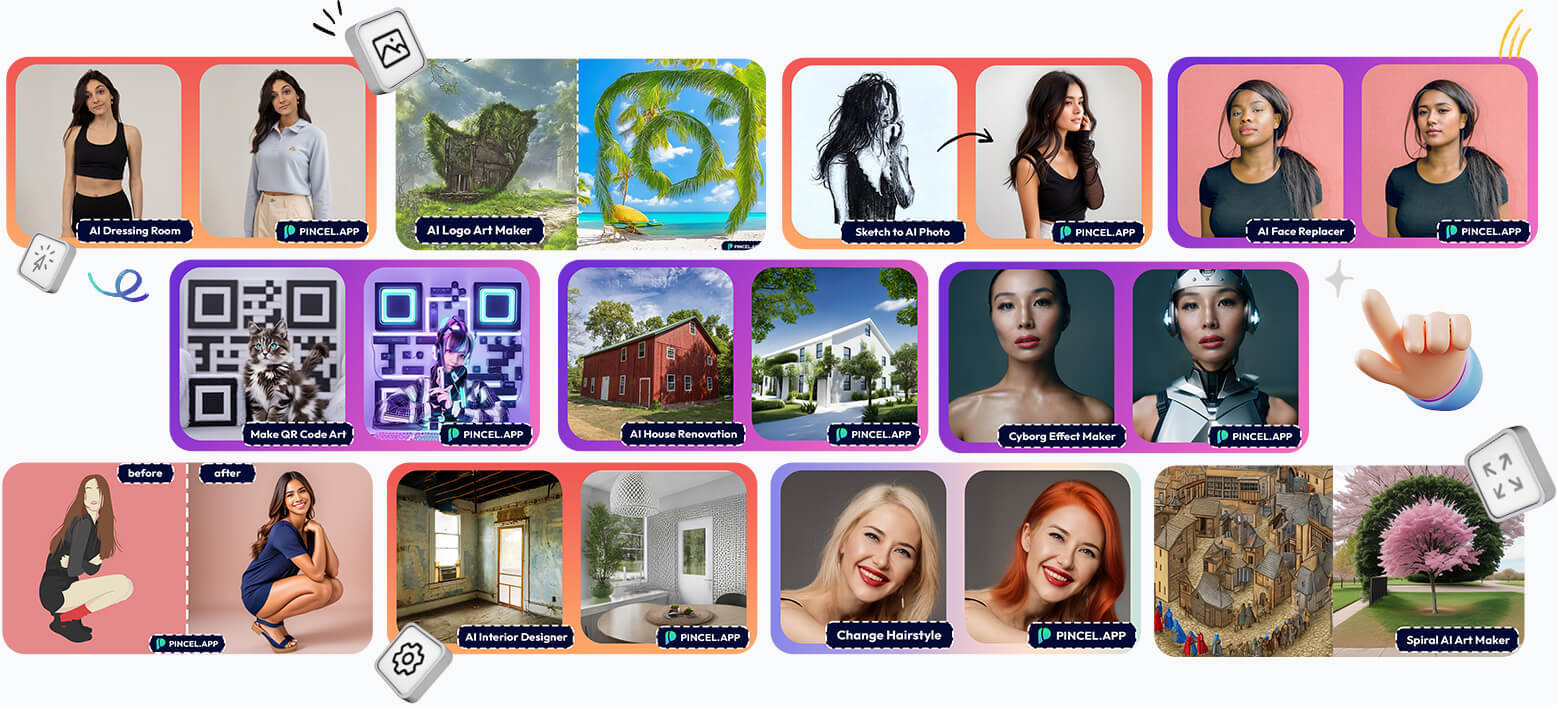
Pincel is a browser-based suite of 50+ AI image, video, and audio tools built specifically for business workflows — not a generic AI playground. The site states it's used by 1.5M+ creators, with a brand-safe content policy enforced across every tool, and everything runs directly in the browser with no installs required. It's positioned around commercial use cases: product photos, marketing visuals, portraits, video, and audio content that businesses can ship without a designer.
Key Features I Found Worth Highlighting
1. Photo Editing
Edit, clean up, and restyle any image with the AI Photo Editor, Object Remover, Generative Fill, and Background Remover.
2. Portraits & People
Create studio-grade headshots and portraits from a single selfie with AI Portraits, plus AI Face Editor, Face Expression, and Character & Avatar tools.
3. Video for Marketing
Turn still images and text into short, social-ready video with Image to Video, Text to Video, Video to Video, and AI Spokesperson tools.
4. Fashion & Apparel
Preview apparel on models for your storefront with AI Virtual Try-On, AI Face Styler, AI Hair Studio, and AI Nail Studio.
5. Marketing & Design
Generate on-brand creative for ads, social, and campaigns using Text to Image, Image Replicator, Text Effects, and Image Variations.
6. Product Photos
Produce commercial-ready shots for sales and marketplaces with dedicated Product Photos, AI Background Generator, Relight, and Photo Extender tools.
7. Enhance & Restore
Upscale, sharpen, and restore any photo with AI Upscaler, AI Detailer, Colorize, and Photo Extender.
8. Audio & Voice
Round out your content with AI Song Maker, Text to Speech, Voice Changer, and Sound Effects tools — all inside the same platform.
Pricing
Pincel's pricing page lists four tiers. The Starter plan is free and includes 20 credits for testing, with instant access to tools like Object Remover, AI Image Editor, AI Image Replicator, AI Portrait, Clothes Swap, and AI Logo Artwork. The Creator plan is $19/month ($0.0190 per credit) and includes 1,000 credits each month. The Premium plan is $79/month ($0.0158 per credit, a 20% discount) with 5,000 credits each month. The Restless plan is $199/month ($0.0133 per credit, a 30% discount) with 15,000 credits each month. All paid plans can be canceled anytime, and unused credits carry over each month as long as your plan stays active. Pincel also backs every plan with a no-questions-asked money-back guarantee and processes payments securely via Stripe.
Pros and Cons
Pros
- Trusted by 1.5M+ creators with 50+ AI tools in one browser-based platform
- Brand-safe content policy enforced across every tool, aimed at commercial/business use
- Free Starter plan with 20 credits and no credit card required
- Unused credits carry over month to month while your plan is active
- No-questions-asked money-back guarantee on paid plans
- Covers photo editing, portraits, marketing video, virtual try-on, and audio all in one place
- Cancel any time on any paid plan, with secure Stripe payments
Cons
- Higher-volume plans (Premium and Restless) get expensive at $79-$199/month for heavy users
- Credit-based pricing means costs can add up quickly for teams generating high volumes of content
- As a browser-based tool, results still depend on good source images and clear prompts
Who Is Pincel Built For?
Per the site, Pincel is built for four core groups: e-commerce sellers who need product photos, background replacement, staging, and marketplace creatives; marketing teams and agencies producing campaign visuals, social posts, banners, and resizing at scale; small and local businesses needing real-estate shoots, menus, local ads, and team photos without a designer; and designers and content teams handling asset clean-up, mockups, object removal, generative fill, and creative variations.
FAQ
What is Pincel?
Pincel is a browser-based suite of 50+ AI image, video, and audio tools built for business workflows, with a brand-safe content policy enforced across the platform.
Is there a free trial?
Yes — the Starter plan is free and includes 20 credits to test the platform, with no credit card required.
How much does Pincel cost?
Paid plans start at $19/month for the Creator plan (1,000 credits), $79/month for Premium (5,000 credits), and $199/month for Restless (15,000 credits), with per-credit discounts of up to 30% on higher tiers.
Can I cancel anytime?
Yes, all paid plans can be canceled at any time, and Pincel offers a no-questions-asked money-back guarantee.
Final Verdict
Pincel delivers a genuinely broad, business-focused AI creative toolkit — photo editing, portraits, marketing video, virtual try-on, product photography, and audio tools — all wrapped in a brand-safe content policy and a browser-based workflow that skips the need for a designer or studio. With a free tier to test the waters, credit rollover, and a money-back guarantee, it's a low-risk way for e-commerce sellers, marketers, and small businesses to see if it fits their creative workflow.
Try Pincel for free here →
#Pincel #AIImageEditor #AIVideoTools #EcommerceTools #MarketingVisuals #ProductPhotos